The functionality Modify a variant or batch of K inventory, allows you to modify one or more variations of a specific product.
Customize the possible variations for each product to obtain a more precise view of your stock, and thus facilitate your inventories.
1. Click on a product containing variants or batches. 2. In the Variants and Lotssection, click on Modify to make changes to the desired variant or batch. 3. Go to Informationyou can modify field values: 4. Save your changes with the Save. 5. To create a new variant or lot, click on the Create variant or lot button. 6. Go to Information fields below to create a variant: 7. Save your changes with the Save.
1. In the list of available products, click on the variant or batch to be modified. 2. To modify, press the Edit. 3. Go to Informationyou can modify field values: 4. Save your changes with the Save.
1. Click on a product containing variants or batches. 2. In the Variants and Lotssection, click on Modify to make changes to the desired variant or batch. 3. Go to Informationyou can modify field values: 4. Save your changes with the Save. 5. To create a new variant or lot, click on the Create variant or lot button. 6. Go to Information fields below to create a variant: 7. Save your changes with the Save.
1. In the list of available products, click on the variant or batch to be modified. 2. To modify, press the Edit. 3. Go to Informationyou can modify field values: 4. Save your changes with the Save.
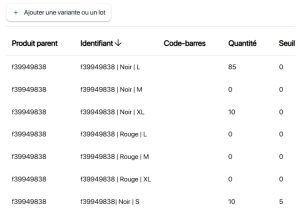 List of available variants and lots
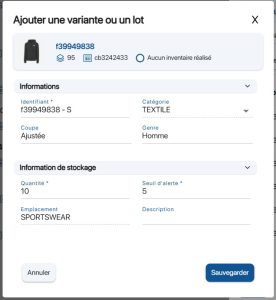 Modifying a variant or a lot
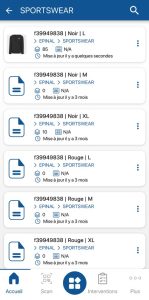 List of variants
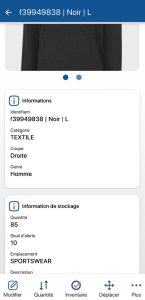 Variant or lot sheet
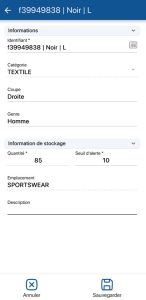 Modifying a variant or a lotList of available variants and lots
Modifying a variant or a lot
List of variantsVariant or lot sheet
Modifying a variant or a lot
 icon to scroll down the list of variants and lots available for a product.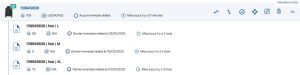
To continue browsing, here are a few articles related to this page:

