Management and inventory software for your IT assets (ITAM)
For every computer, monitor or smartphone, the ITAM module knows who it is assigned to, where it is and when its warranty expires. Employee arrivals and departures are handled by scanning, and the device's life stays traced through to recycling. Software licences are managed in the same tool.
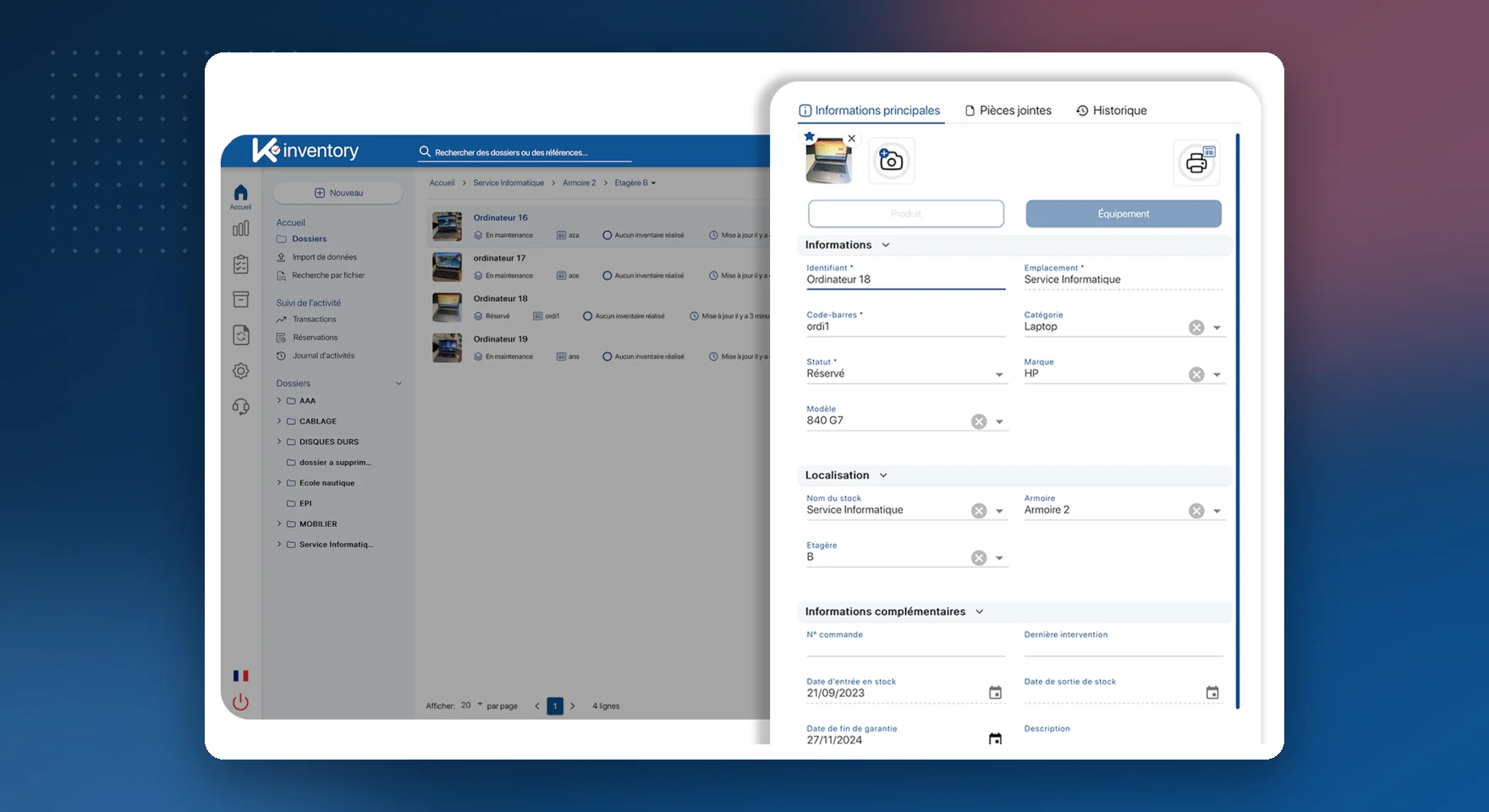
What the ITAM module does
Named assignments
PCs, phones and accessories assigned to a person, with the date.
Signed IT policy
Electronic signature of the IT policy when the equipment is handed over.
Joiners and leavers
Equipment ready on the first day, return checked by scanning on the last.
Warranties and leasing
End of warranty and of lease contract, with an alert before the due date.
Configurations
Memory, disk, processor: the variants of the same model kept apart.
Mobile fleet
IMEI, SIM card, plan and contract associated with each line.
Linked accessories
Charger, monitor, mouse linked to the workstation: they move together.
End of life
Recycling, donation or data wiping documented, with a tamper-proof history.
Directory and SSO
Sign-in with Microsoft Entra ID or Google, LDAP directory.
Software licences
Your licences tracked in the same place as the equipment in your IT assets.
The life of a workstation
Take stock
Import your current inventory and label each device with a QR code.
Assign
When an employee joins, scan their equipment: it is assigned to them.
Track
Failures, swaps and warranty expiries are added to the device's history.
Recover
When they leave, the list of what they must return is displayed; the return is confirmed by scanning.
Practical guide: how to manage an IT fleet day to day
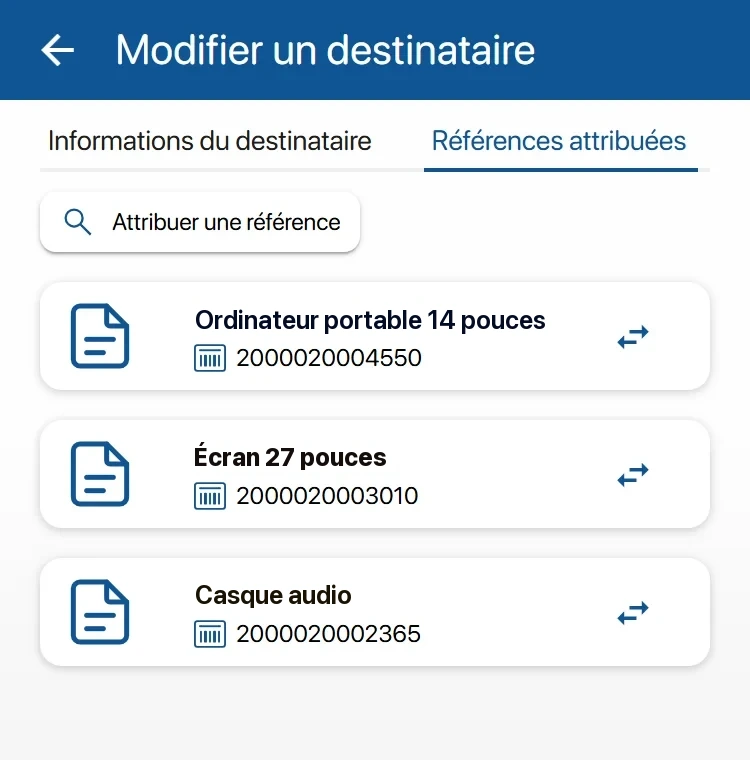
Equipment returned when each employee leaves
On the day of departure, the IT department or HR can see everything that was assigned to the person. Anything not returned shows up immediately.
View of all the equipment assigned to a person
Return confirmed by scanning, with the condition on return
Optional NFC badge to identify the employee
Returned equipment immediately available for a new assignment
The physical side of your IT assets, alongside your ticketing tool
Your tickets stay in ServiceNow or GLPI. K inventory adds what they cannot see: where the equipment is, who has it and what condition it is in.
Synchronisation with your ITSM tool through the API module (Custom plan)
Reconciliation with Intune or Lansweeper: what is declared against what is detected
Web portal in your company's colours for requesting equipment
Approval workflow for requests

Combine IT asset management with
IT assets by sector: Banking, insurance and services, Public sector and local authorities, Healthcare and laboratories, Industry, energy and environment.
Frequently asked questions about IT asset management
Can software licences be managed?
Yes. Licences are managed in K inventory, in the same place as the workstations, monitors and smartphones in your IT assets.
Can we sign in with our directory?
Yes. SSO sign-in works with Microsoft Entra ID and Google, and K inventory connects to an LDAP directory. Other directories are synchronised through the API.
Are smartphones managed?
Yes. A dedicated category tracks the IMEI number, SIM card, plan and lease contract of each line.
Can you also run a software inventory of the computers?
Yes, with the Custom plan. An agent deployed on the computers collects their software inventory, and our API module brings it into K inventory, on each device's record. You decide with us which data is collected. K inventory can also connect to your existing tools, such as Intune or Lansweeper, to reconcile the physical inventory and the software inventory.
How do you find a device's history?
Scanning its QR code label with the phone shows its assignments, failures and movements.
Pricing, plans and number of items: see the Pricing page.
Know who has which equipment
In the demo, we start from your IT assets and your joiners and leavers, with your IT department if you wish.