Software to manage your field service operations (FSM)
The field service module breaks each job down into tasks that the technician follows on their phone, from preparing the equipment to the report. The office sees progress and reorganises the schedule in one click.
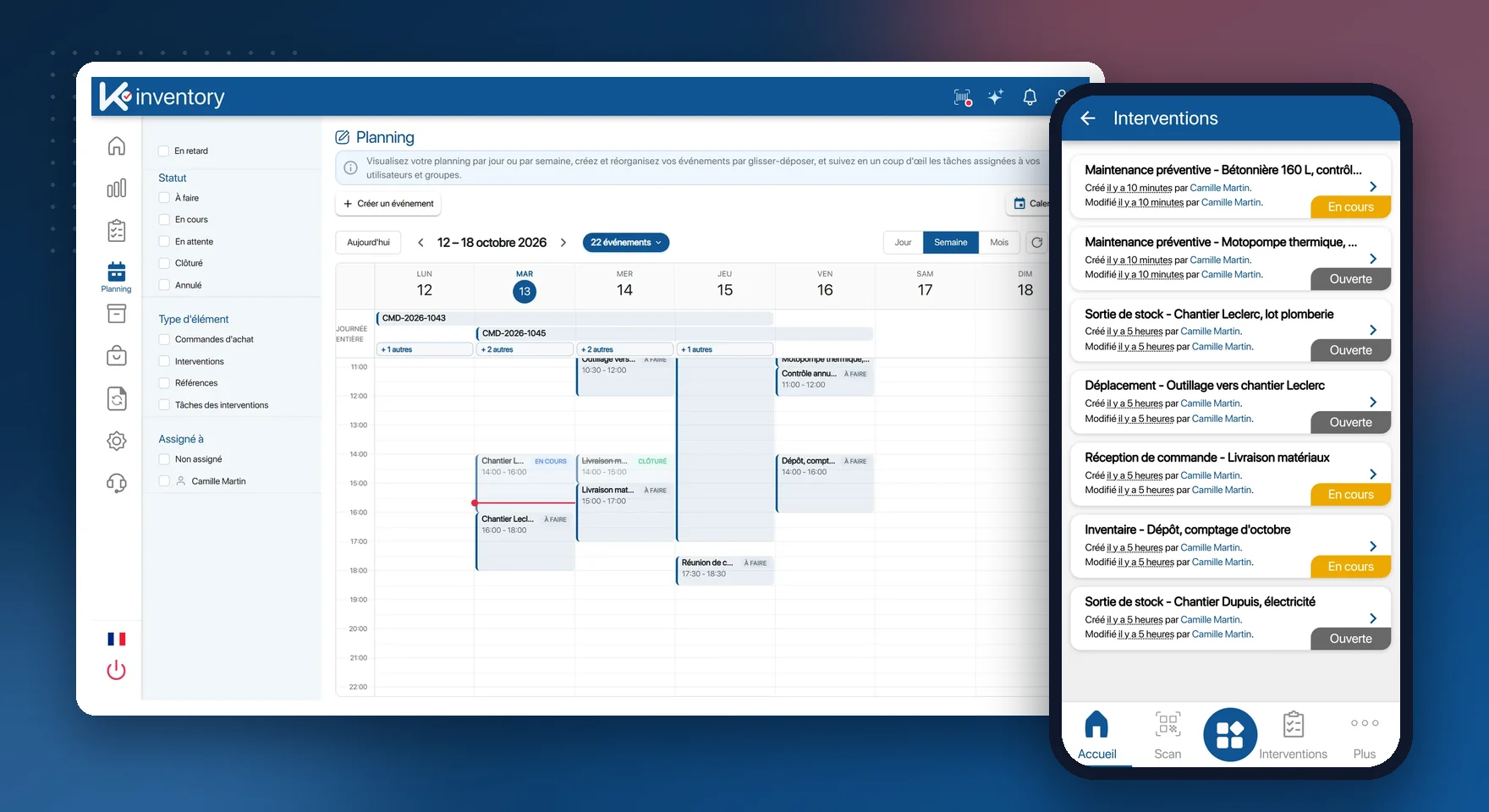
What the field service module does
Operation templates
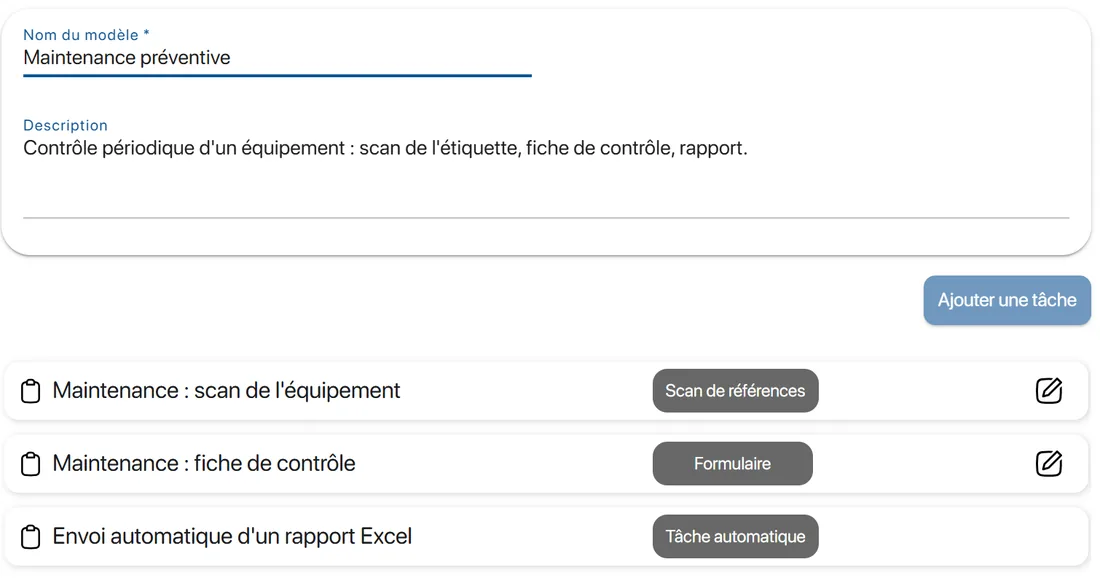
Audit, installation, after-sales: chained tasks, in the order you set.
Scheduling
Day, week or month view, with drag-and-drop jobs.
Assignment
Based on skills, availability and the equipment in each vehicle.
Notified by email
The technician receives an email for every job assigned to them.
Forms
Checklists, mandatory fields, required photos.
Scan validation
The equipment concerned is scanned to validate the step.
Time spent
A timer on every task.
Offline mode
Jobs downloaded, carried out without a network, sent once back online.
Request portal
A white-label form for your customers or employees.
A job, from request to report
Receive the request
It comes in through the portal or is created on the platform.
Schedule
The job goes onto the technician's schedule, and they are notified by email.
Carry out
On the phone, each task is validated by scan, with its form filled in.
Close
The report, illustrated with photos, is sent automatically.
Each type of job has its own workflow
You describe the steps of an installation or a repair once. Every new job of that type follows them, in the right order.
Chained tasks, with strict sequencing if needed
Automatic tasks: stock update, sending the report
Mandatory fields and photos before moving on to the next step
Subcontractors limited to the jobs assigned to them
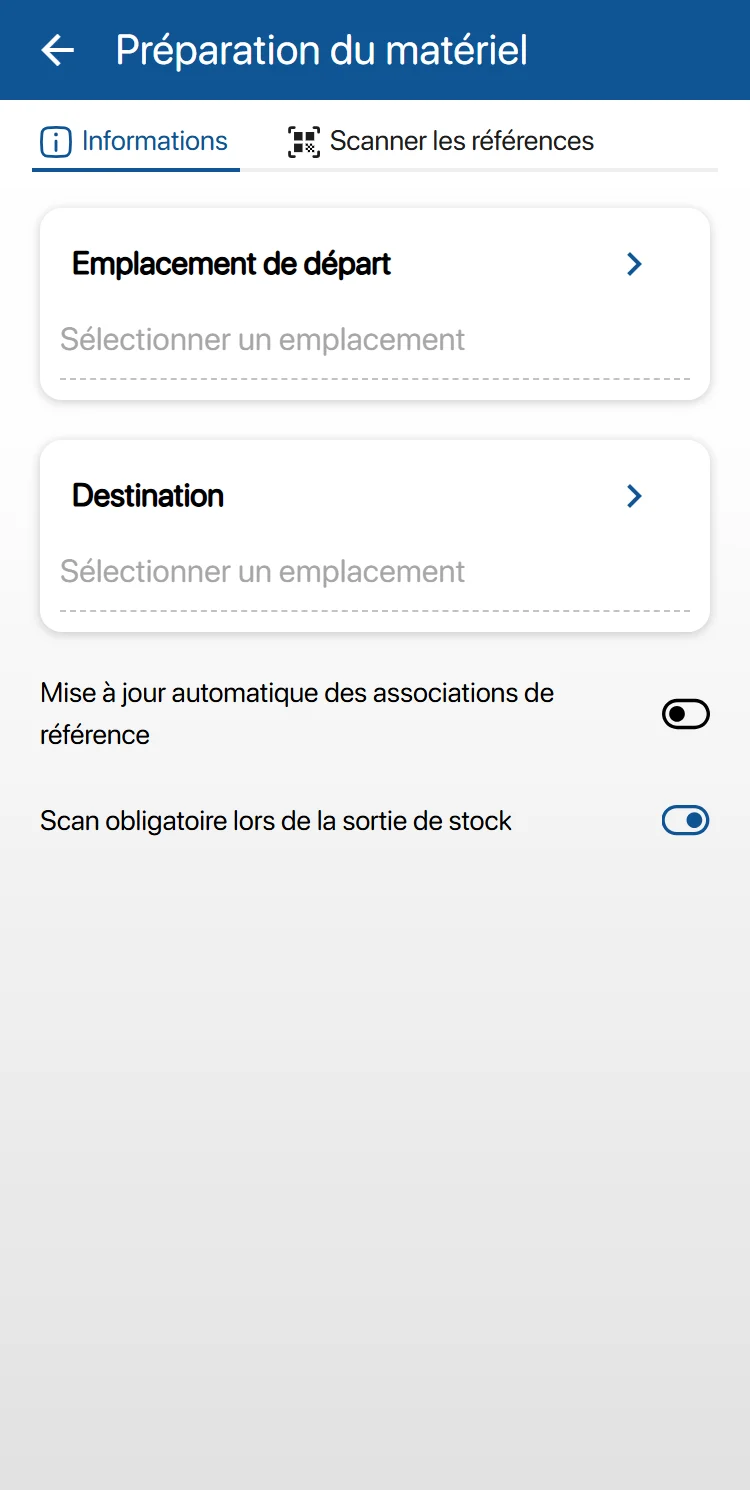
The technician's vehicle is a stock location
Before setting off, the technician knows whether they have the right part. After the operation, the fitted part is removed from their vehicle's stock.
Tools assigned temporarily or permanently
Stock of each vehicle visible from the platform
Fitted parts deducted from the vehicle's stock
Location of the last scan recorded
Combine field service with
Field service by sector: Installation, after-sales and maintenance, Construction and public works, Public sector and local authorities, Hospitality and accommodation.
Frequently asked questions about field service
How is the technician notified of a job?
By email, and the job appears in their list of operations in the app. In an emergency, you reassign it in one click from the platform.
Can the report be adapted to our procedures?
Yes. You build your own forms: checklists, mandatory fields, required photos, drop-down lists.
Can subcontractors carry out jobs?
Yes. Their access is restricted by permissions: they only see the jobs assigned to them.
And without a network?
Jobs are downloaded to the phone. Scans, quantities and forms are saved, then sent in order once the network is back.
Pricing, plans and number of items: see the Pricing page.
Jobs that go to plan
In a demo, we build the template for one of your operations together.
Enjoy a 14-day free trial of K inventory!
When you sign up, you can use every K inventory feature for 14 days, with no commitment and no credit card.
Contact us
Would you like us to contact you? Enter your email address below!