The CMMS for industry, energy and the environment
In a factory, on an energy network, in a wastewater treatment plant or a waste processing centre, a piece of equipment that is down costs more than the missing part. K inventory brings together the maintenance plan, the spare parts stock and your technicians' operations, on one site or across all your sites.
Four problems that cost maintenance teams dearly
Production sites, energy installations, water, sanitation or waste operations: technical teams share the same difficulties. Numerous, scattered pieces of equipment, emergency operations, and information that stays in people's heads or on paper.
Unplanned downtime
An unexpected breakdown brings a line or an installation to a halt. The real cost is not the repair, but the hours lost waiting for the part.
The part nobody can find
The part is in stock, but nobody knows in which store, on which shelf or in which vehicle. The technician searches for it, then ends up ordering another one.
Multiple sites, sometimes with no network
Stations, substations, recycling centres, remote installations: each site has its own tool or binder, and the network does not reach everywhere.
Proof on audit day
Customer audit, inspection by the authorities, requirements from a main contractor: you need to find what was done, when, by whom and with which parts.
A real CMMS: from the preventive plan to the closed work order
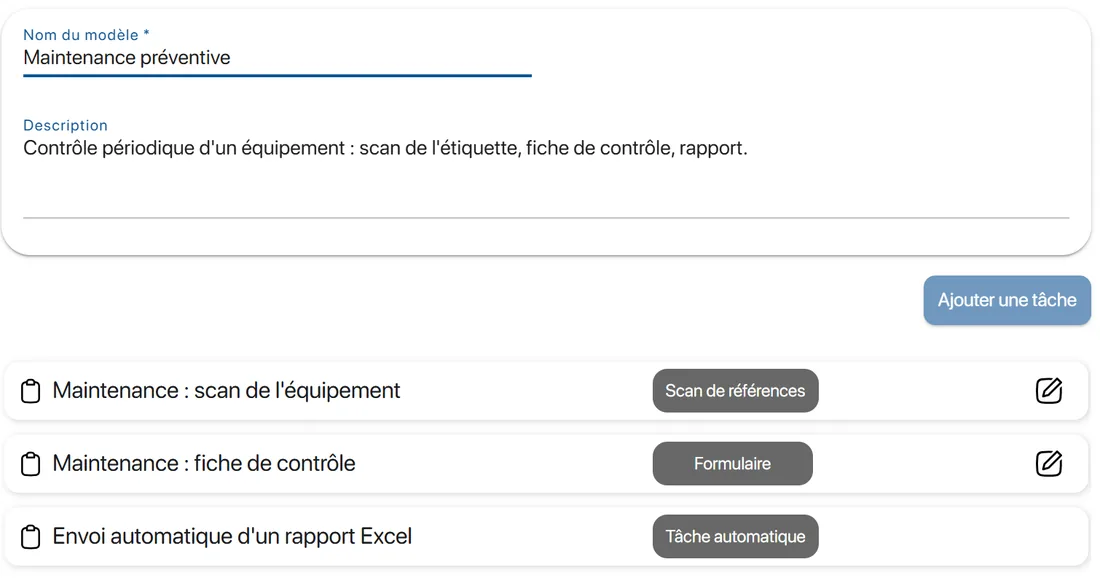
Preventive maintenance means deciding in advance what will be done, on which equipment and by when, rather than reacting to breakdowns. K inventory plans, alerts you before the due date and keeps a record of what was done.
Preventive maintenance and regulatory inspections planned, with an alert before each due date
Preventive and corrective work orders on the technician's phone, validated by scanning the equipment
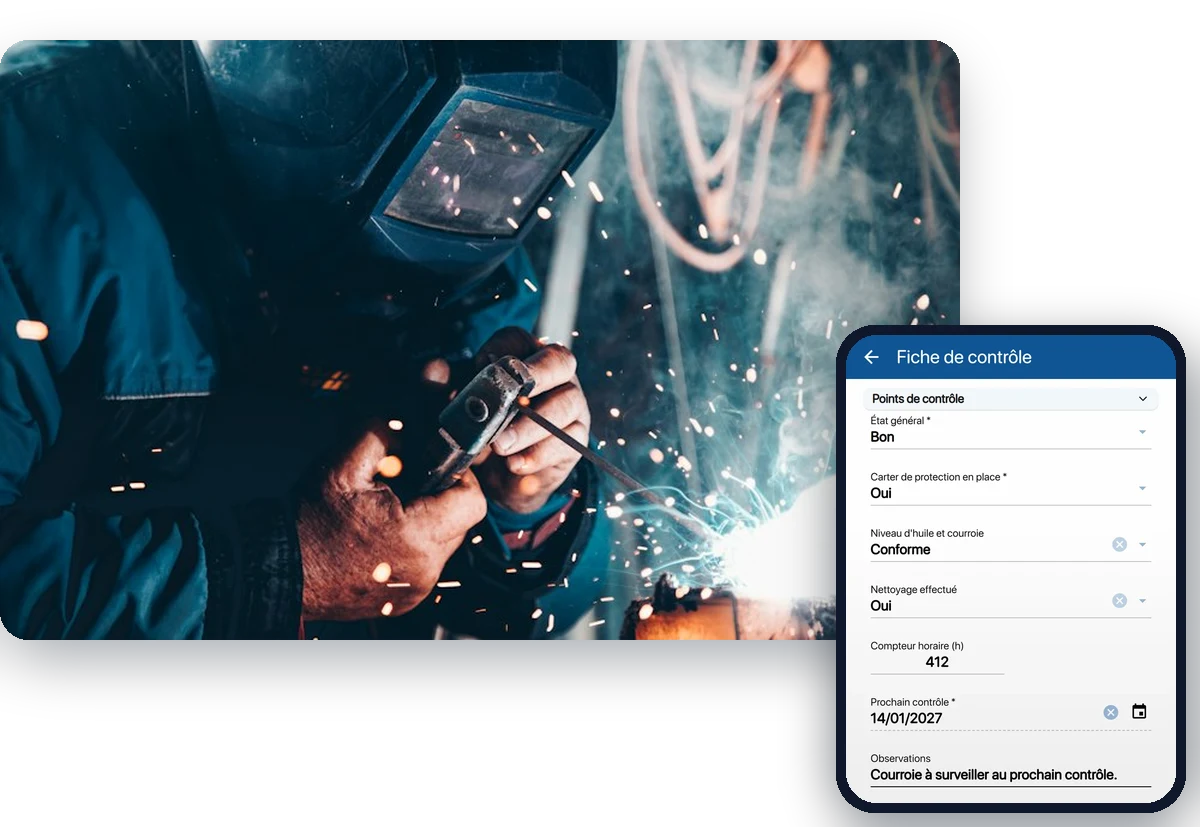
Inspection forms you build yourself: choice list, number, date, text, with the mandatory fields you decide (hour meter reading, date of the next inspection…)
History of each piece of equipment: operations, parts consumed, comments
Time spent recorded with a timer, task by task
The parts store linked to the equipment it serves
A spare part is only valuable if it is available when the operation takes place. So you need to track stock where it really is: in the central store, in a site storeroom or in the technician's vehicle.
Parts used during an operation deducted from stock automatically, if you configure it
Several sites, stores or vehicles in the same tool, organised in folders and subfolders
Alerts before a stockout, traced transfers between sites
Stock in, stock out and cycle counts by scan, with the phone camera
Supplier deliveries checked by scan against the purchase order
A tool technicians actually adopt: their phone, nothing more
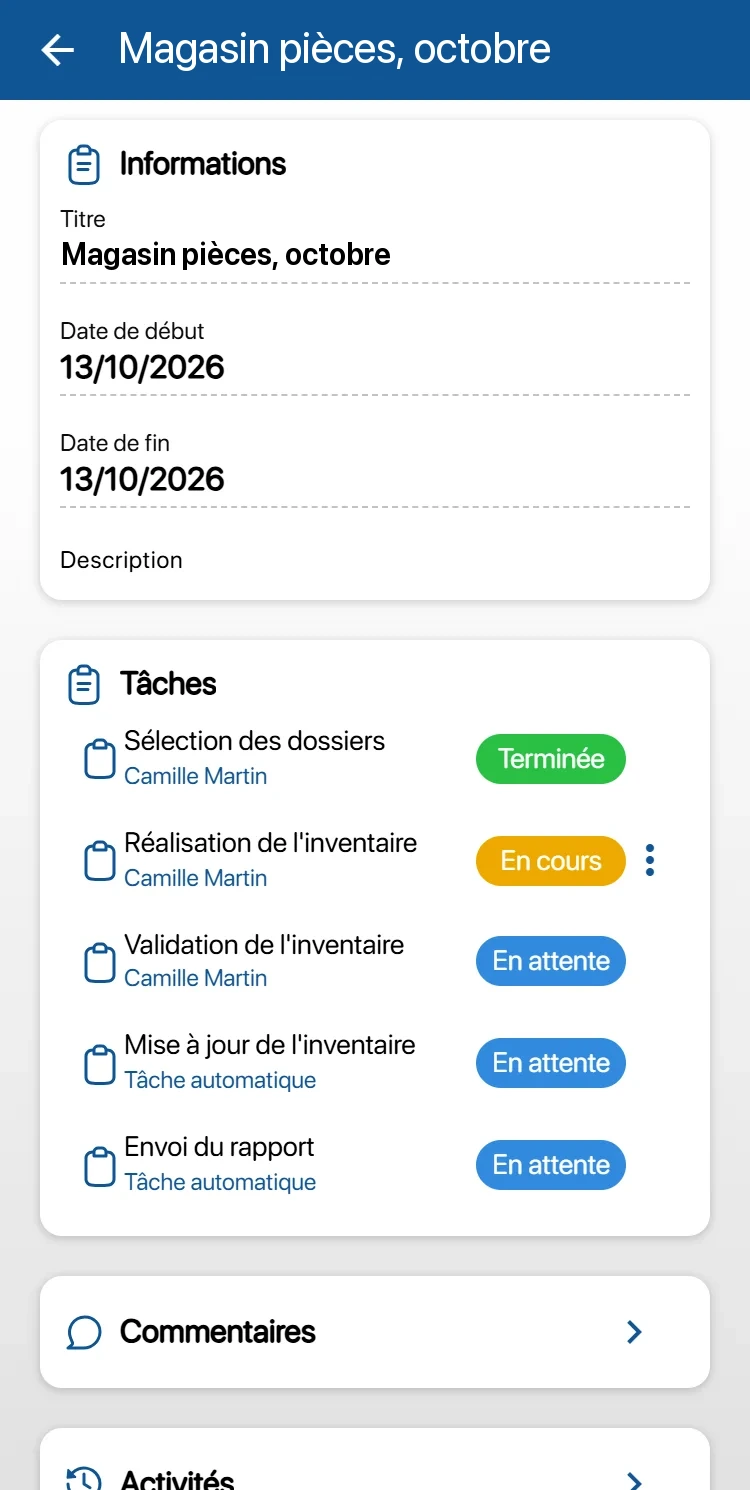
An extra tool only gets adopted if it saves time in the field. The K inventory app tells the technician what to do, task after task, and reports back what they did without re-keying.
No terminal to buy: the phone camera reads barcodes, QR codes and NFC tags, and your Bluetooth handheld scanners work too
Continuous scanning: the technician aims at the codes one after another, and each read is confirmed by a beep and a vibration
Offline: operations are carried out with no network (scans, quantities, forms) and are sent when the network is back
A blocked task is paused with a reason; comments and the activity log keep a record
Unlimited users: every technician, every shift team has its own access, at no extra cost
Run one site or twelve, with figures
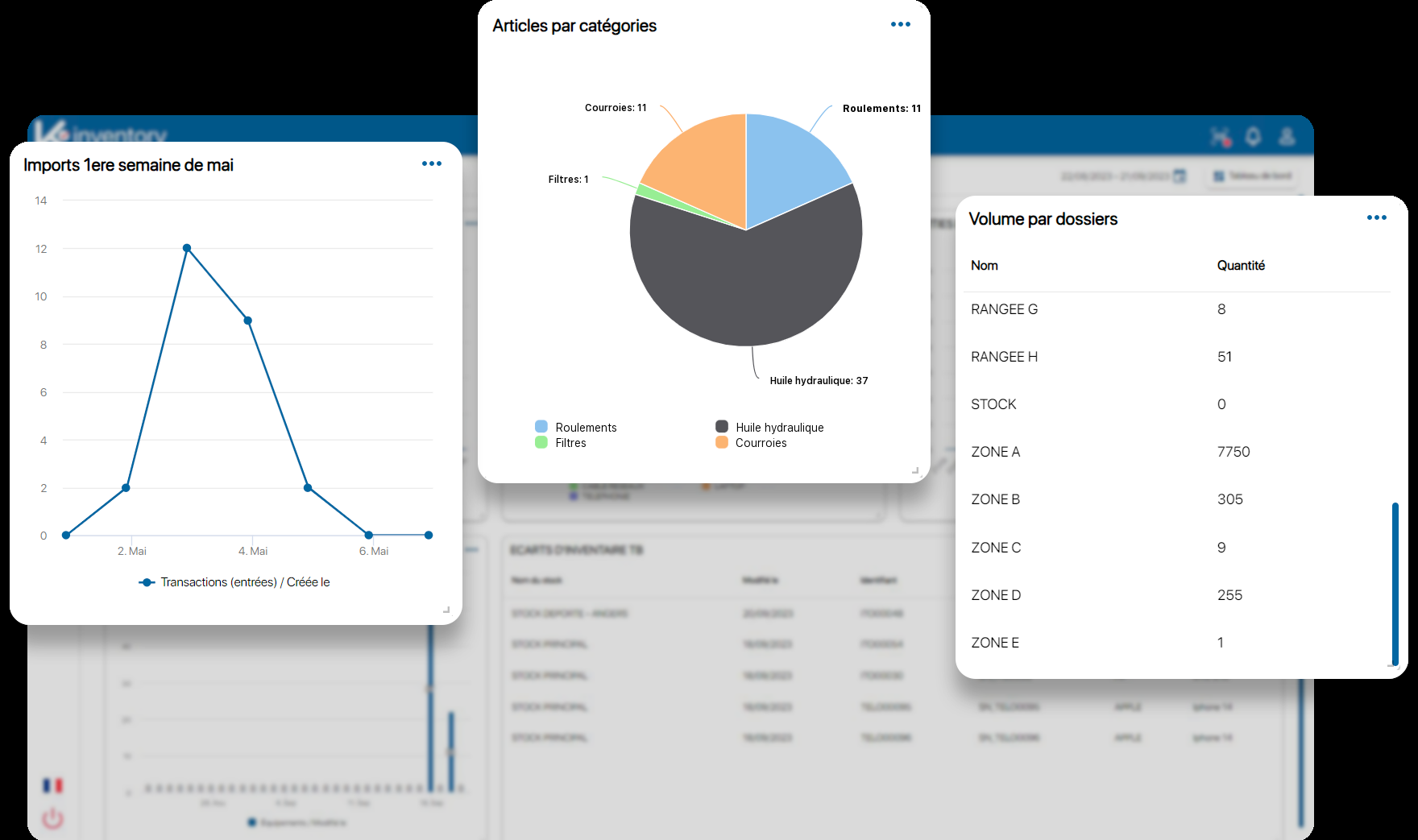
A maintenance budget is defended with indicators. Dashboards are built from your data, site by site or across all sites.
MTBF and MTTR
Mean time between failures and mean time to repair are configured from your operations. You spot the equipment that fails too often, and the repairs that drag on.
View by site or across all sites
Each site is a folder, with its equipment, its stock and its operations. One dashboard per site, or a single one for the whole operation.
Excel exports for your audits
Lists and dashboards export to Excel. Operation reports can be sent automatically by email, and a dashboard can be sent on a fixed date.
Get started without re-keying everything, organise without development
Import your existing data
Your current inventory can be imported from Excel, with help matching the columns. At first login, the AI suggests your categories and locations.
Your equipment, your vocabulary
Power rating, manufacturer reference, commissioning date: the characteristics that matter to you are set up as custom fields, and forms are configured without development.
Permissions by role and by site
Permissions are set by feature and by folder. A technician sees their site, an external contractor their scope, the operations manager everything.
They track their equipment with K inventory
GRDF
The French natural gas distribution network operator uses K inventory.
Saint-Gobain Gyproc
Saint-Gobain group subsidiary in the United Arab Emirates: construction material stocks tracked in support of a circular economy approach. Read the case study
Three situations K inventory covers
Production site
A central store, lines running in three shifts, planned shutdowns to prepare. Before the shutdown, a stock issue operation prepares and reserves the parts needed, instead of searching for them during it.
Multi-site water or waste operations
Stations and installations spread over a territory, visited by mobile technicians. Each site holds its equipment and its planned inspections, each vehicle its stock, and operations continue with no network.
Contractors and subcontracting
External workers who are given tasks. Permissions by role and by folder open up a precise scope for them, without exposing the whole asset register.
Frequently asked questions from maintenance managers
Is K inventory a real CMMS or an inventory management tool?
Both, in the same tool. On the maintenance side: preventive maintenance and regulatory inspections planned with an alert before the due date, preventive and corrective work orders on the technician's phone, validated by scan, the history of each piece of equipment, configurable MTBF and MTTR. On the stock side: the spare parts store, on one or several sites. Parts used during an operation are deducted from stock automatically, if you configure it.
Can we import our old CMMS and our Excel files?
Yes. Your current inventory can be imported from Excel, with help matching the columns: equipment, parts, locations. If your old CMMS can export its data to Excel, it can be imported in the same way. We look at your file with you during a demo.
Our technicians work on sites with no network. How does that work?
Operations work offline. They are downloaded to the phone while there is a network. On site, the technician carries out their tasks: scans, quantities, forms. Everything is sent in order when the network is back. Offline, only the Operations menu is available.
How do we get a consolidated view of all our sites?
Each site is a folder, with its equipment, its stock and its operations. Dashboards are built by site or across all sites, and access rights follow the same organisation: a site manager sees their site, the operations manager sees everything.
How do we find proof of an operation on audit day?
Each operation keeps its tasks, their status, the scans, the inspection form filled in on site, the comments and the time spent. The activity log timestamps every action. An Excel report can be sent automatically at the end of the operation, and the data exports to Excel for your audits.
Will our technicians really use yet another tool?
The app runs on their phone, with no terminal to buy: the camera reads barcodes and QR codes. The technician follows their tasks in order and aims at the codes one after another. You decide what they fill in on the inspection form, and what is mandatory. The number of users is unlimited.
How much does K inventory cost for an industrial site?
The price depends on the number of items, not the number of users. A piece of equipment tracked individually counts as one item; a part managed by quantity counts as one item per location. Essential: €175 per month for up to 500 items. Advanced: €390 per month for up to 1,000 items. Beyond that, the Custom plan is quoted on request. 14-day free trial.
Industry and maintenance on our blog
CMMS guides, preventive, corrective and predictive maintenance, managing spare parts between the store and the vehicle: find our articles on equipment performance.
K inventory also adapts to other industries
Discover how K inventory meets the specific constraints of each sector.




Move to planned maintenance
Show us your equipment, your sites and your current files: during a demo, we show you K inventory on your own case.
Enjoy a 14-day free trial of K inventory!
When you sign up, you can use all the features of K inventory for 14 days, with no commitment and no credit card required.
Contact us
Would you like us to contact you? Enter your email address below!