CMMS software to plan your preventive maintenance
The K inventory CMMS module schedules the upkeep of your equipment by date or by meter, turns each due date into a work order and tracks it through to closure. Parts, history and indicators stay in the same database as your stock.
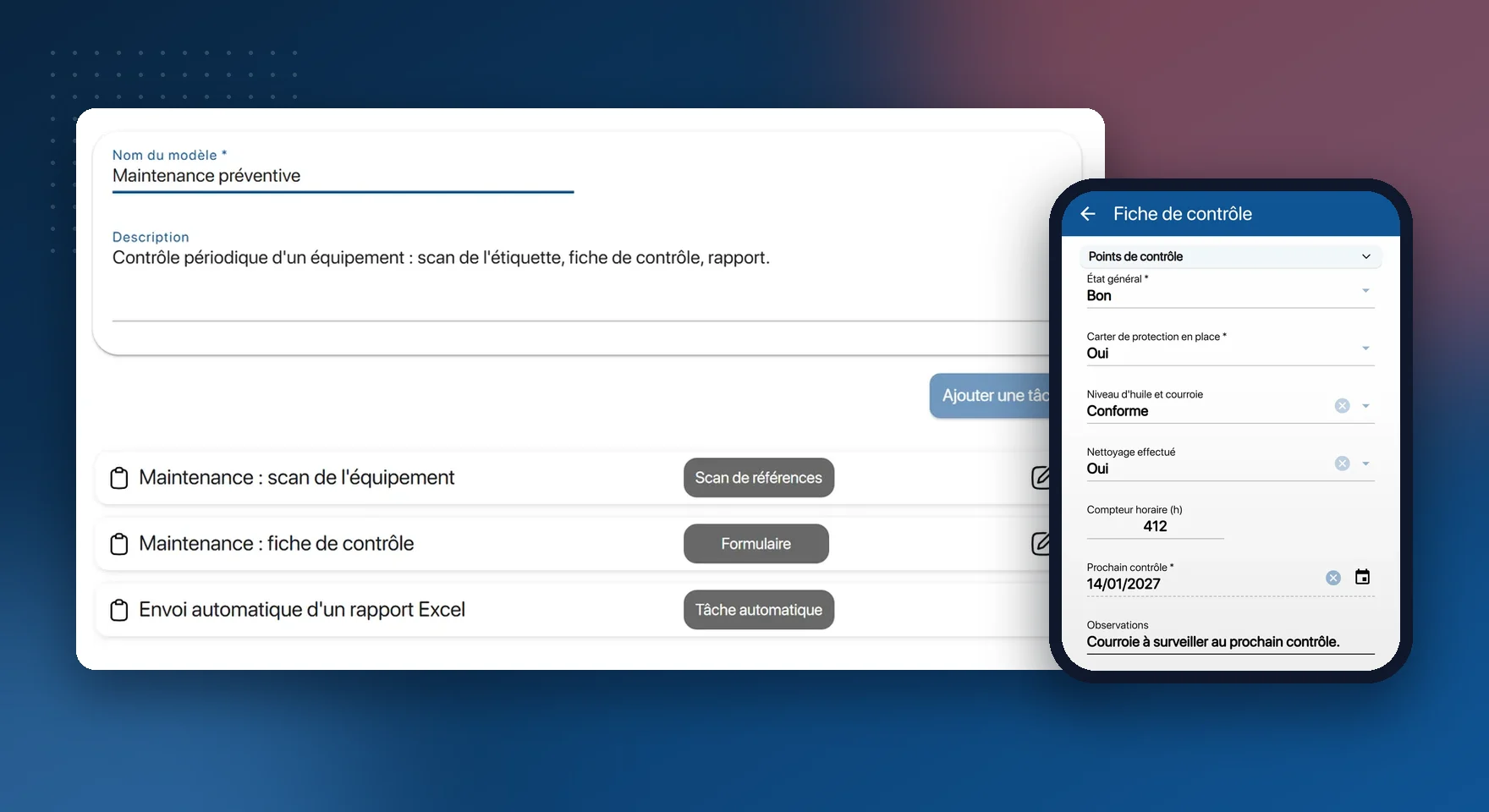
What the CMMS module does
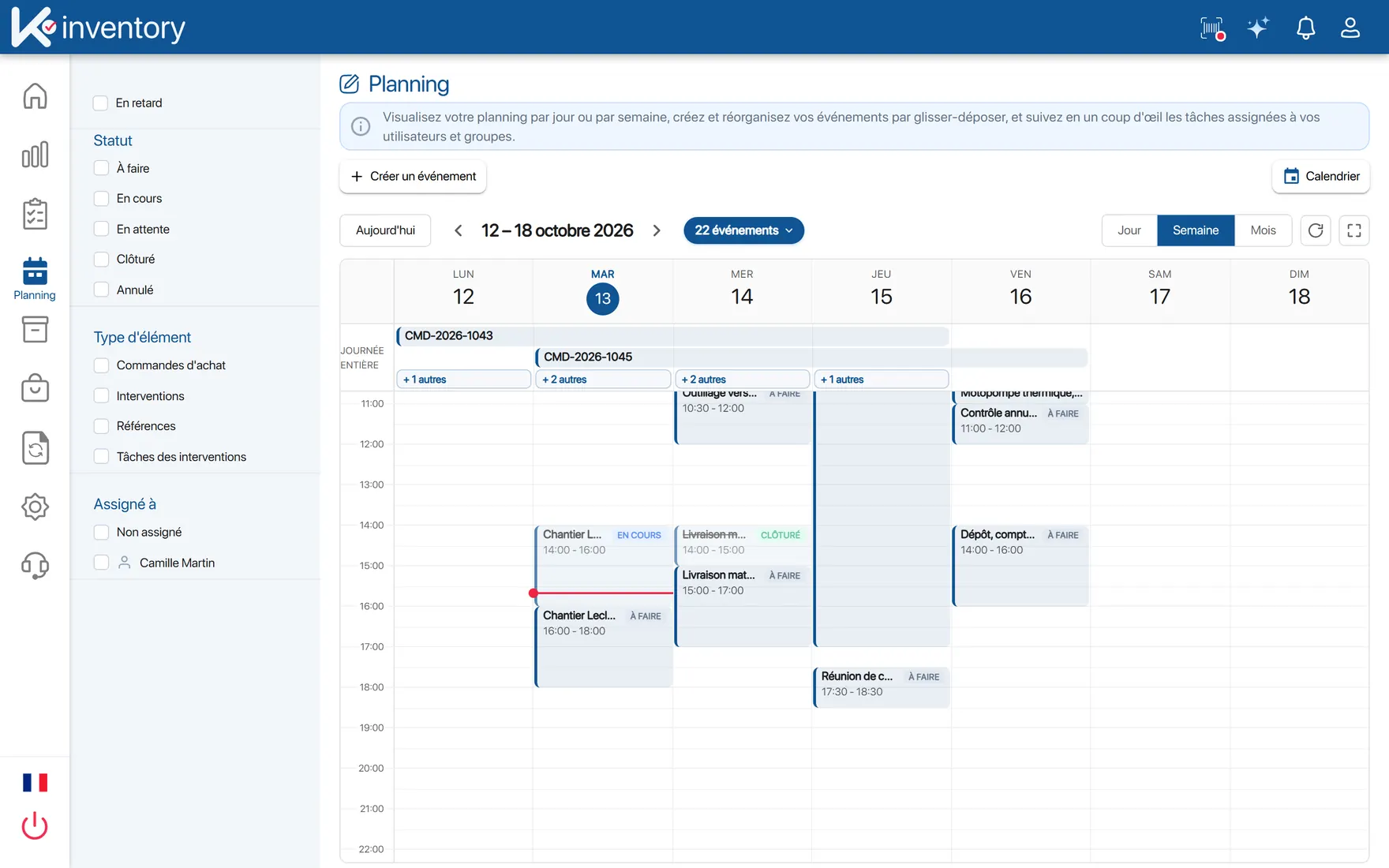
Preventive maintenance plans
Recurring due dates by calendar or by meter, and a reminder a few days before each visit.
Condition-based maintenance
A threshold of hours, cycles or temperature reported by an IoT sensor opens a work order.
Work orders
Created, assigned and tracked from the office or the field, each one linked to its equipment.
Equipment hierarchy
Machine, sub-assembly, component: a parent-child structure with unlimited levels.
Spare parts
Each part linked to the equipment it serves, with its location in the storeroom.
Checklists
Checkpoints, mandatory fields and photos, defined on the web for each type of operation.
Technician app
Work order, history and parts on the phone, report signature, in offline mode.
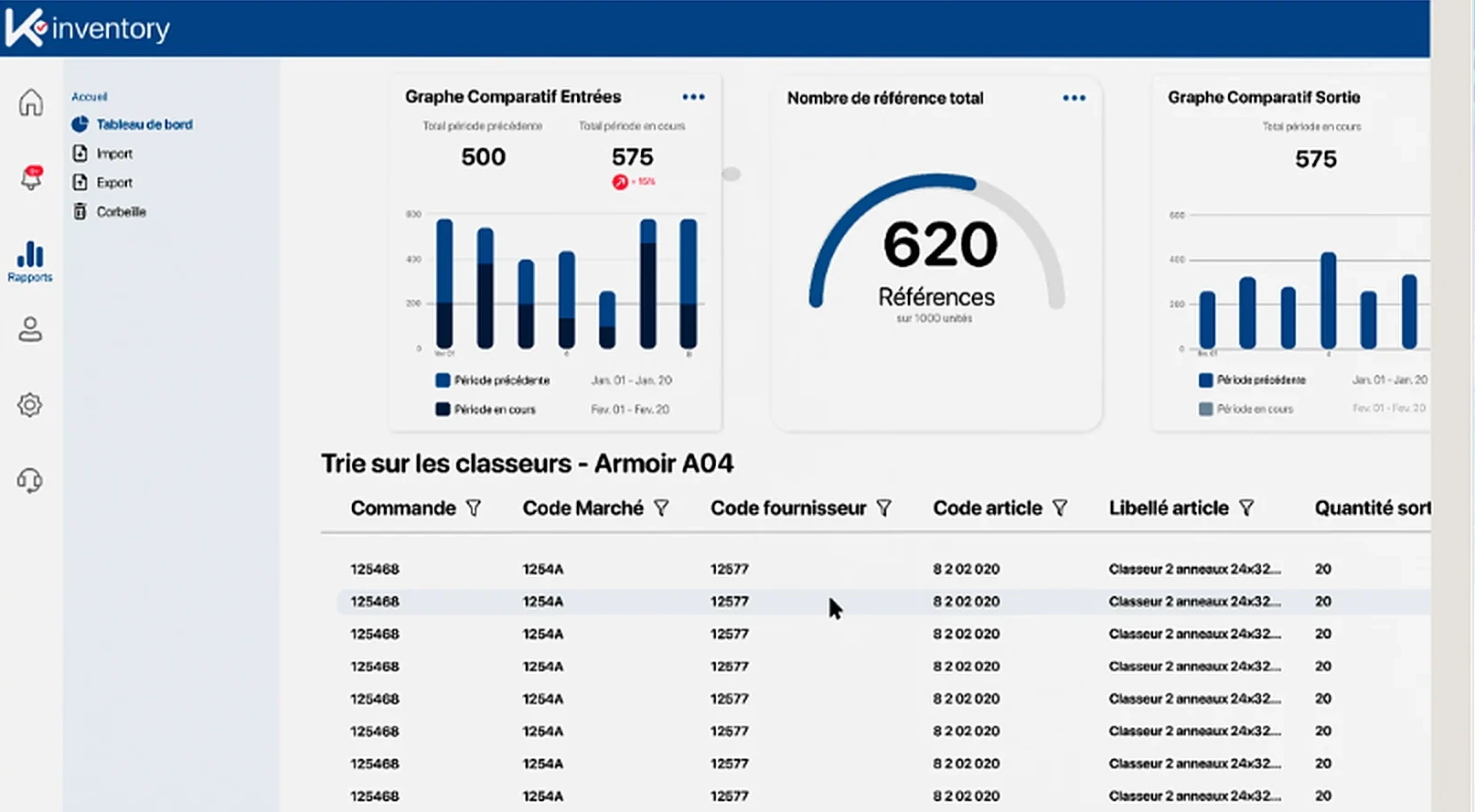
Indicators
MTBF, MTTR, failure rate and cost per piece of equipment, configurable on the dashboards.
History and reports
Each visit stays on the equipment record; the report is sent at closure.
From maintenance plan to closed work order
Describe your equipment
Import your equipment from Excel, organise it by site and stick a QR code label on each item.
Plan
Set the frequency of each maintenance task, by calendar or by meter, and the checklist to fill in.
Carry out
The technician, notified by email, scans the equipment, fills in the checklist and records the parts fitted.
Analyse
Failures, downtime and costs are shown per piece of equipment, so you can decide between a repair and a replacement.
Practical guide: how to manage technical equipment
The work order creates itself when it falls due
You describe the rule once: every 6 months, every 500 hours, above 8 °C. K inventory opens the work order at the right time and notifies the manager.
Meter reading recorded on the checklist or reported by a sensor
Work order opened with its checklist and its planned parts
Reminder before the due date, to prepare the operation
A part fitted is a part taken out of stock
CMMS and storeroom share the same database. The technician knows where to find the part before setting off, and the stock goes down as soon as they report it fitted.
Part availability visible from the work order
Automatic stock withdrawal at closure, if you configure it
Alert when a critical part falls below its threshold
Practical guide: how to run a spare parts store
Combine the CMMS with
The K inventory CMMS by sector: Industry, energy and environment, Installation, after-sales and maintenance, Public sector and local authorities, Hospitality and accommodation.
Frequently asked questions about CMMS
Are the CMMS and inventory management in the same software?
Yes. The two modules share the same database: a part used during an operation is deducted from stock, with no re-entry.
Can maintenance be triggered by meter rather than by calendar?
Yes. You create meter fields (operating hours, kilometres, cycles). When the threshold is reached, a preventive work order opens and the manager is alerted.
Can a sensor trigger an operation?
Yes. An IoT sensor connected through the API, a temperature sensor for example, can open a work order as soon as a threshold is crossed: this is condition-based maintenance.
How do you calculate MTBF and MTTR?
They are set up with formula fields, from the failure and return-to-service dates. The results appear on the dashboards and can be exported to Excel or as an image.
Pricing, plans and number of items: see the Pricing page.
Move to planned maintenance
In the demo, we start from your equipment and your current maintenance plans.