Consumables management: the practical guide
Describe each category, receive, store, track lots and expiry dates, trace stock issues, reorder, cut waste: practical ideas, step by step, so you never run out and never throw away.

This week
- 4 deliveries received
- 1 lot expiring in 30 days
- Boxes below threshold
- 2 transfers between sites
4 key takeaways
One record type per category: each family of consumables has its own information.
A threshold, not a hunch: order at the threshold, before you run out.
Oldest first: first expired, first out.
Every issue traced: so you know who uses what.
Sound familiar?
Describe each category with its own information
One file for everything: reagents, boxes, cleaning products, paper reams. The "lot" and "expiry" columns are empty for half the rows, and nobody knows which ones matter.
Define the useful information for each category: a reagent has a lot and an expiry date, a box an order unit, a cleaning product its safety data sheet.
Make what matters mandatory, and only that: a useless field stays empty.
Choose the unit of management: the bottle, the box, the pack, the ream.
Calculate rather than type: stock value follows from quantity and unit price.

With K inventory: you create the fields of each category on the web, with no development, and choose which ones are mandatory. Formula fields calculate stock value, for example, and the AI assistant creates a record from a photo, custom fields included.
A different record for each category
Only the useful information, mandatory where neededReceive deliveries
The delivery is left in the corridor, put away later, and the lots are never recorded. When a supplier issues a recall, nobody can tell where the affected bottles are.
Check the delivery against the order: quantities, items, condition.
Record the lot and expiry date on receipt, when relevant.
Put it away immediately, in its designated location.
Report discrepancies to the supplier while there is still time.
With K inventory: the delivery is scanned and compared with the purchase order. The lot and expiry date are entered at each stock receipt, and receiving forms are filled in on the phone with the questions you have defined.
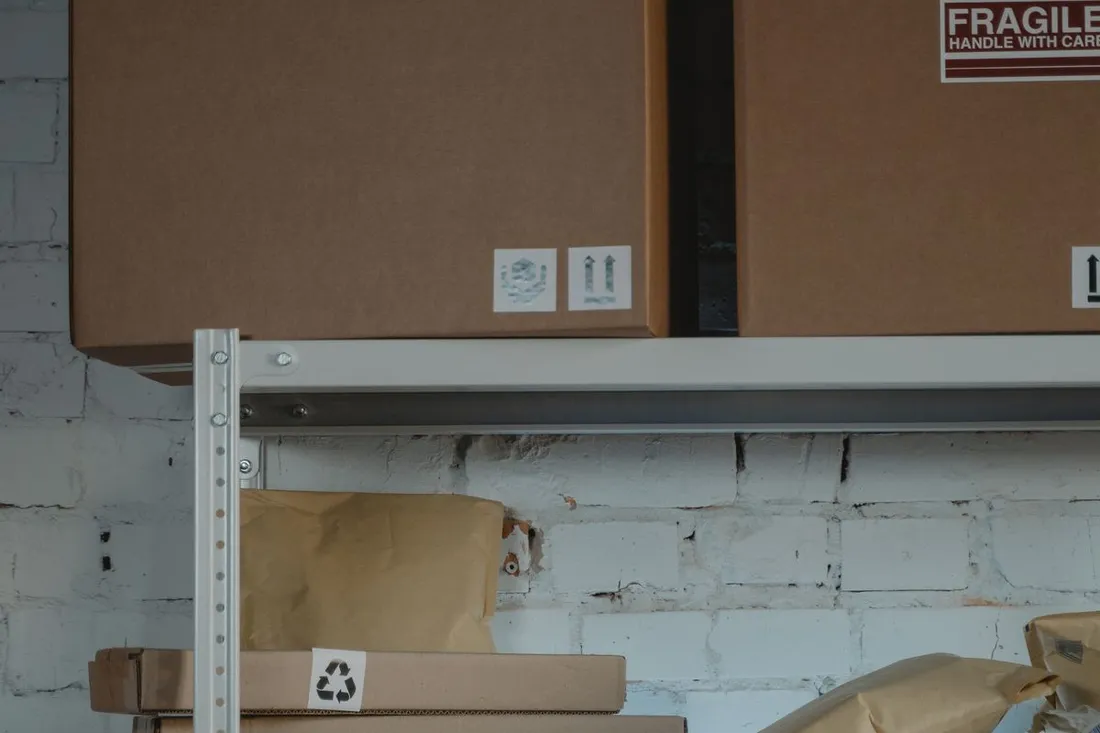
Delivery of 10/14
- 12 of 12 boxes received
- Lots recorded
- Expiry noted: 03/2027
- 2 damaged boxes
Store in the right place, under the right conditions
Cleaning products sit next to office supplies, the safety data sheet is nowhere to be found, and the reagent that needs refrigeration spent the weekend on a lab bench.
One location per item, by site or by cabinet.
Respect storage conditions: temperature, light, incompatibilities between products.
Keep the safety data sheet close at hand for hazardous products.
Put the oldest at the front: first expired, first out.
With K inventory: each location has its own stock, and each category its own information: storage conditions, attached safety data sheet, precautions for use.

Cleaning closet · building A
- Safety data sheets attached
- Incompatible products kept apart
- Oldest at the front
- 5 L cleaner below threshold
Track lots and expiry dates
An expired reagent is thrown away at one site while another site has run out of the same product.
Get an alert before expiry, early enough to use or transfer the product.
Transfer between sites whatever is likely to expire where it is not being used.
Find a lot in seconds in the event of a recall: where are the affected units?
Block a doubtful lot while you check it.
With K inventory: an alert warns you before a lot expires, and a search by lot gives the location of every affected unit. A blocked status can be applied in bulk, and each transfer between sites is prepared at departure and received on arrival.

Lot L2409-17 · pH 7 buffer
- 9 bottles, 2 sites
- Storage +2 to +8 °C
- Expiry: 03/2027
- 1 other lot expires in 30 days
Trace stock issues by department
Supplies disappear in small quantities, without a trace. Nobody knows which department uses what, or why the budget is overrunning.
Trace every issue, even a small one, and link it to a department, a site or a device.
Route requests through a simple process rather than self-service.
Compare consumption from one month to the next, from one site to another.
Link consumables to the devices that use them, such as cartridges and printers.
With K inventory: each issue is scanned with the phone and linked to a department, a site or a device. Dashboards then compare consumption, and the data can be exported to Excel.
Paper reams: issues this month by department
Fictitious exampleReorder at the right time
People order "when there's none left". The result: stockouts on Monday morning, and more expensive rush orders.
Set an alert threshold per item and per location, based on consumption and delivery lead time.
Group orders by supplier to cut costs.
Adjust thresholds to the season: consumption of some products varies over the year.
Avoid overstock: a threshold set too high ties up cash and lets products expire.
With K inventory: below the threshold, an alert goes out and the purchase order is prepared from the platform. K forecast reads the history of stock issues to adjust thresholds to the season; a manager always approves the order.
- When
- When there's none left
- Result
- Stockouts and rush orders
- Cost
- Multiplied delivery fees
- Stock
- Too much or too little
- When
- As soon as the threshold is crossed
- Result
- Delivered before stockout
- Cost
- Grouped orders
- Stock
- Matched to consumption
Count stock and cut waste
At every stock count, expired products get thrown away, forgotten boxes turn up, and the discrepancies can no longer be explained.
Count stock regularly, cabinet by cabinet, without stopping everything.
Analyze what gets thrown away: expired, damaged, overstocked.
Review thresholds and pack sizes for the products that expire most often.
Pool stock between sites rather than ordering everywhere.
With K inventory: stock is counted on the phone, with discrepancies calculated before approval, and dashboards highlight the items that sit idle or expire.

What a well-tracked consumable record looks like
A reagent has a lot and an expiry date, a cleaning product its safety data sheet, a box its order unit. Here are some example records in K inventory.

pH 7 buffer solution · 500 mL bottle
The lot and expiry date are entered at each stock receipt, with an alert before expiry. Storage temperature is a field of this category only.
A search by lot gives the location of every affected bottle.

Multi-surface cleaner · 5 L container
For cleaning products, the record holds what matters for them: the attached safety data sheet and the precautions for use.
These fields only exist for this category: the other records are not cluttered with them.

Double-wall box 60 × 40 × 40
For packaging, what matters is the quantity, the order unit and the reorder threshold.
Below the threshold, an alert goes out and the purchase order is prepared from the platform.

A4 80 g paper reams
Office supplies go out in small quantities, often without a trace. A scan at each issue tells you which department uses what.
Dashboards compare consumption by department or by site.
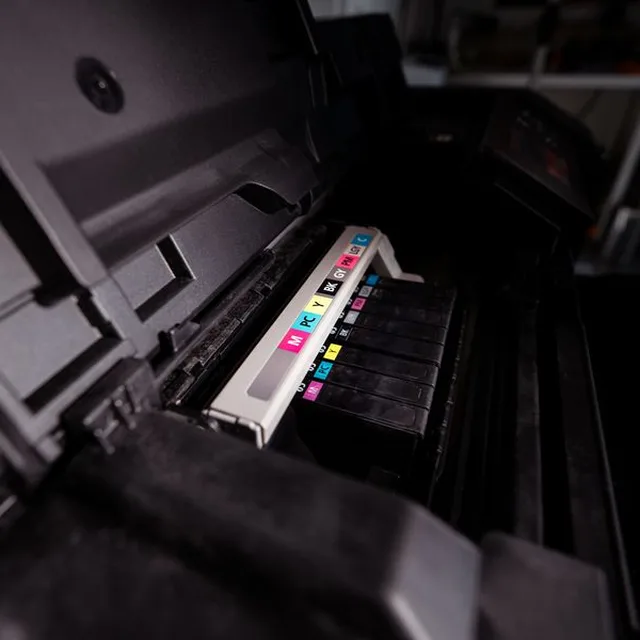
Ink cartridges · 2nd floor printers
A cartridge can be linked to the printers that use it: when one needs replacing, you know which one to take.
Each issue can be linked to the printer concerned, which gives consumption per device.
Spreadsheet or dedicated tool?
A spreadsheet is enough for one supply cabinet. Its limits show once you have several categories, lots to track and several sites.
| Spreadsheet | Dedicated tool with mobile app | |
|---|---|---|
| Suited to | One cabinet, one person | Several sites, categories and departments |
| Information | The same columns for everything | Fields specific to each category |
| Expiry | You have to watch it yourself | Alert before expiry, search by lot |
| Reordering | By guesswork | Threshold alert, order prepared |
| Consumption | Unknown by department | Issues traced, dashboards |
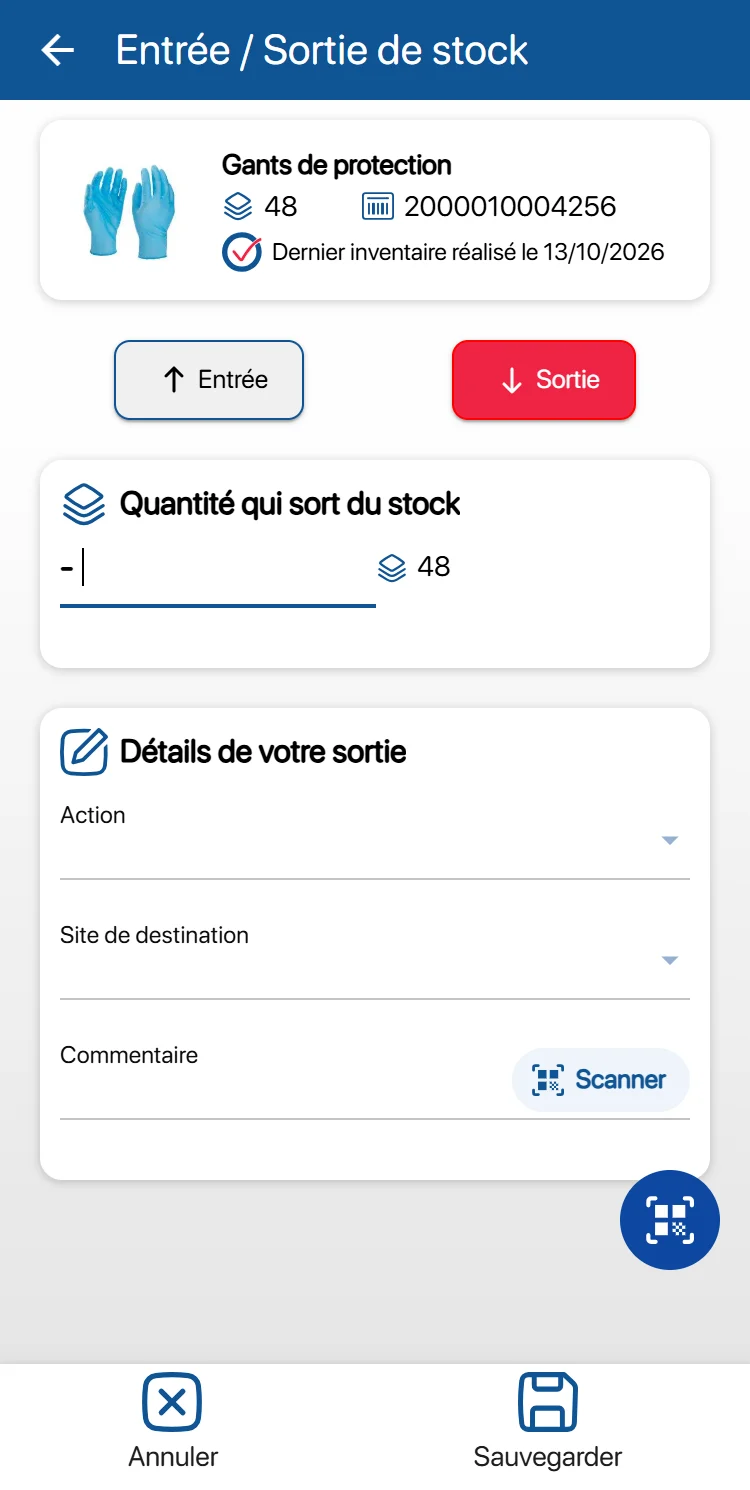
What a dedicated tool looks like: every receipt and every issue is scanned with the phone, and each category of consumables has its own record, with its own fields.
For the full feature list, see the stock and inventory management page.
Learn more
Frequently asked questions about consumables management
Should all consumables be managed the same way?
No. Each category has its own useful information: a reagent has a lot, an expiry date and a storage temperature, a box an order unit, a cleaning product its safety data sheet. Separate records per category are better than a single, half-empty file.
How do you avoid running out of consumables?
With an alert threshold per item and per location, set according to actual consumption and delivery lead time, and reviewed by season. Below the threshold, you order, without waiting until there is none left.
How do you track expiry dates?
By recording the lot and date at stock receipt, and getting an alert early enough to use, transfer or return the product. Putting the oldest at the front does the rest: first expired, first out.
How do you know which department uses the most?
By tracing every issue and linking it to a department, a site or a device. Consumption can then be compared from one month to the next, which brings overruns to light.
Does each unit of a consumable count as one item?
No. With K inventory, a consumable managed by quantity counts as a single item per location, whatever the quantity in stock: 300 boxes on a shelf are one item.
How much does a consumables management tool cost?
With K inventory, plans are based on items, never on users: a consumable managed by quantity counts as a single item per location. Essential: €175 per month for up to 500 items. Advanced: €390 per month for up to 1,000 items. Beyond that, the Custom plan is quoted on request.
Your consumables tracked, with no stockouts and no waste
Show us your consumable categories and your current file during a demo: we will set up the records you need in K inventory with you.