IT asset management: the practical guide
Buying or leasing, assigning, tracking, taking inventory, recovering, renewing, recycling: practical ideas to solve the everyday problems of an IT asset manager, step by step.

This week in the IT fleet
- 2 new hires to equip
- 1 departure: equipment to recover
- 3 warranties expiring
- 5 workstations to recycle
The 4 key ideas
What, where, who, in what condition: the four questions you must be able to answer for every device, at any time.
Arrivals and departures: the two moments when an IT fleet deteriorates fastest.
A person, not a department: assigning equipment to a named person solves most losses.
As you go: an inventory kept up to date is better than a big annual inventory.
Sound familiar?
Buying or leasing your equipment
Each department orders on its own, the number of models keeps growing, and sometimes you buy a monitor that is already sitting in a cupboard. On the leasing side, the end of the contract arrives without warning, and some machines are missing when it is time to return them.
Check the stock before buying: a workstation returned by an employee who left can go to a new hire.
Standardize a catalog of a few models per profile (office, mobile, technical): fewer parts, fewer different failures.
Route requests through a workflow: who is asking, for whom, approved by whom.
Buying or leasing: buying gives you ownership and an asset to depreciate; leasing spreads the cost and requires regular renewal, but also a complete return in good condition at the end of the contract. Either way, record the warranty or contract end date from the start.

With K inventory: a web portal in your company's colors to request equipment, with an approval workflow. Suppliers and the catalog are managed in the platform, and an alert warns you before a warranty or lease contract ends.
- Cost
- An investment, depreciated
- Ownership
- The equipment is yours
- Renewal
- At your own pace
- Watch out for
- The end of the warranty
- Cost
- A rent, spread over time
- Ownership
- The equipment stays with the lessor
- Renewal
- Set by the contract
- Watch out for
- Returning everything, in good condition
Receiving and registering
The boxes arrive, are opened in a hurry, and the serial numbers are not recorded anywhere. Three months later, there is no way to claim under the warranty.
Check the delivery against the order: quantities, models, accessories.
Record the serial number and the configuration on arrival, before the first assignment.
Label right away every device tracked individually, with a barcode or a QR code.
Store IT stock like real stock, with one location per shelf.
With K inventory: the delivery is scanned and compared with the purchase order. The AI assistant can create a record from a photo, and labels are printed from the platform.
Delivery of 10/14
- 10 laptops ordered, 10 received
- Serial numbers recorded
- Labels applied
- 2 docking stations missing
Assigning equipment to employees
A new hire waits three days for their computer. Or they have it, but nobody recorded that it was theirs: the equipment is "with the sales department", so it belongs to no one.
Prepare the equipment before the first day, from the list of new arrivals.
Assign to a person, not a department, with the date of handover.
Have the IT acceptable use policy signed at handover.
Link accessories to the workstation: charger, docking station, monitor.
For smartphones, record the IMEI, the phone line and the plan.
With K inventory: assignment is done with a scan, or with an NFC badge to identify the employee. The policy is signed electronically at handover, and accessories linked to the workstation move with it.

Arrival · Léa M. · Monday 9 am
- Laptop
- 27-inch monitor
- Docking station
- IT policy signed
Tracking the IT fleet day to day
A workstation breaks down: is it still under warranty? Has it already been repaired? What was it replaced with? The answers are buried in emails, tickets and the technician's memory.
Keep the history of every device: failures, repairs, swaps, moves.
Track due dates: end of warranty, of lease contract, of license.
Keep tickets in your support tool (GLPI, ServiceNow) and track the physical reality alongside it: who has the equipment, where, in what condition.
Keep a buffer stock of a few ready-to-use workstations for swaps.
With K inventory: every failure, swap and move is added to the workstation's history, available with a scan. Licenses are managed in the same place as the hardware, and your ticketing tool syncs through the API module, with the Custom plan.
History of workstation PC-0417
- 03/2024: put into service
- 11/2025: screen replaced, under warranty
- 09/2026: battery replaced
- End of warranty: 03/2027
Taking inventory of the IT fleet
The annual inventory ties people up for weeks, and the resulting file is wrong by the following week.
Distinguish the physical inventory (where the equipment is, who has it, scanned in the field) from the logical inventory (what each workstation contains, collected by an agent). Comparing the two is how you spot discrepancies.
Count location by location, without forgetting cupboards, stock, loans and remote work.
Resolve discrepancies: expected but not found, found but not expected, found elsewhere.
Keep the inventory up to date as you go: the annual inventory required by the French Commercial Code (Code de commerce, article L123-12) then becomes a simple check.
With K inventory: the inventory is taken by scanning with a phone, even offline, and discrepancies are calculated before validation. With the Custom plan, an agent deployed on workstations reports their logical inventory through our API module.
Where the device is, who has it, in what condition. Scanned, in the field. Sees everything, even equipment that is switched off or in stock.
What the workstation contains: configuration, software. Through an agent installed on the machine. Only sees workstations that are switched on.
Recovering equipment when someone leaves
An employee leaves on Friday. On Monday, you discover that their old laptop, their second monitor and their phone were never returned.
Start from the list of what was assigned to the person, not from their memory.
Check each return and record its condition: reusable as is, to be refurbished, out of service.
Wipe the data before any reassignment, and document it.
Put the equipment back in stock so it can go to the next new hire.
With K inventory: on the day of departure, everything entrusted to the person is displayed. The return is validated with a scan, with a mandatory status on return, and anything not returned shows up immediately.

Departure · Marc D. · Friday
- Laptop returned
- Charger returned
- Second monitor
- Data wiped
Planning renewals
Workstations are all renewed at the same time, or on the contrary one by one, when they break down. Either way, the budget is out of your hands.
Know the age and condition of each workstation to spread renewals over time.
Extend the lifespan when possible: according to ADEME and Arcep (the French environment agency and telecoms regulator), devices account for about half of the carbon footprint of digital technology in France.
Reuse internally: a workstation too limited for a technical profile is often fine for office use.
Track the cost of each device, from purchase to disposal, to make informed decisions.
With K inventory: dashboards show the age, condition and due dates of the fleet. The total cost of ownership of each device is tracked from purchase to disposal, and depreciation is calculated with formula fields.
Fleet age: example for 120 workstations
Fictitious example, to illustrate the methodManaging end of life: donation, reuse, recycling
Old computers pile up in a basement, or leave with a contractor without anyone knowing which ones, or whether their data was wiped.
Choose the right exit route: internal reuse, donation to a charity, resale, or recycling.
Hand recycling over to a WEEE (e-waste) channel suited to professional equipment.
Wipe the data securely before anything leaves, and keep the proof.
Remove the device from the inventory with its reason, so that accounting and the fleet stay aligned.
For local authorities, the French AGEC and REEN laws set reuse and tracking obligations.
With K inventory: every exit from the fleet (recycling, donation, data wiping) is documented on the device's record, with its history kept.
What the record of a well-tracked device looks like
Each family of equipment has its own information: a computer its configuration, a smartphone its IMEI, a printer its contract. Here are sample records in K inventory.

14-inch laptop · IT-04217
Each workstation is entrusted to a person, with the date, and the IT policy is signed electronically at handover. Charger and docking station are linked to the workstation.
With the Custom plan, an agent deployed on the workstation reports its logical inventory to the record through our API module. The data reported is defined with you.

27-inch monitor · IT-05530
Monitor, docking station, mouse: accessories are linked to the workstation and move with it.
In a flex office, a monitor that stays on its desk is assigned to a location rather than to a person.

Business smartphone · IT-07102
Each line has its own IMEI, SIM card, plan and contract.
An alert warns you before the lease contract ends, so you can prepare the renewal.
Multifunction printer · IT-03011
A printer has its location, its contract and the history of its failures. Its cartridges are managed as consumables, linked to the device.
An "under maintenance" status flags the device as unavailable until it comes back.
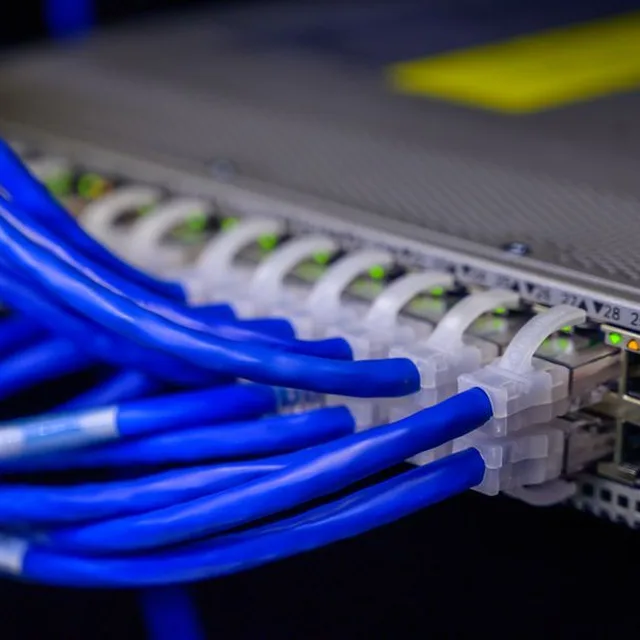
48-port switch · IT-09012
Network equipment is tracked like the rest of the physical fleet: where it is installed, whether it is under warranty, and what it replaced.
The location goes all the way down to the rack and the position: the location tree has no depth limit.
Spreadsheet or dedicated tool?
A spreadsheet is a good starting point, and for a small fleet on a single site, it can be enough. Its limits appear as the fleet grows and moves.
| Spreadsheet | Dedicated tool with a mobile app | |
|---|---|---|
| Suited to | A few dozen workstations, one site, one person who keeps the file | Several sites, several people involved, a fleet that moves |
| Assignment and return | A row to edit, often forgotten | A scan, with the date and the condition |
| History | Overwritten with every change | Every assignment, failure and move kept |
| Due dates | Up to you to watch | Alert before the end of a warranty or contract |
| Several people | Multiple versions, conflicts | A single database, permissions per site |
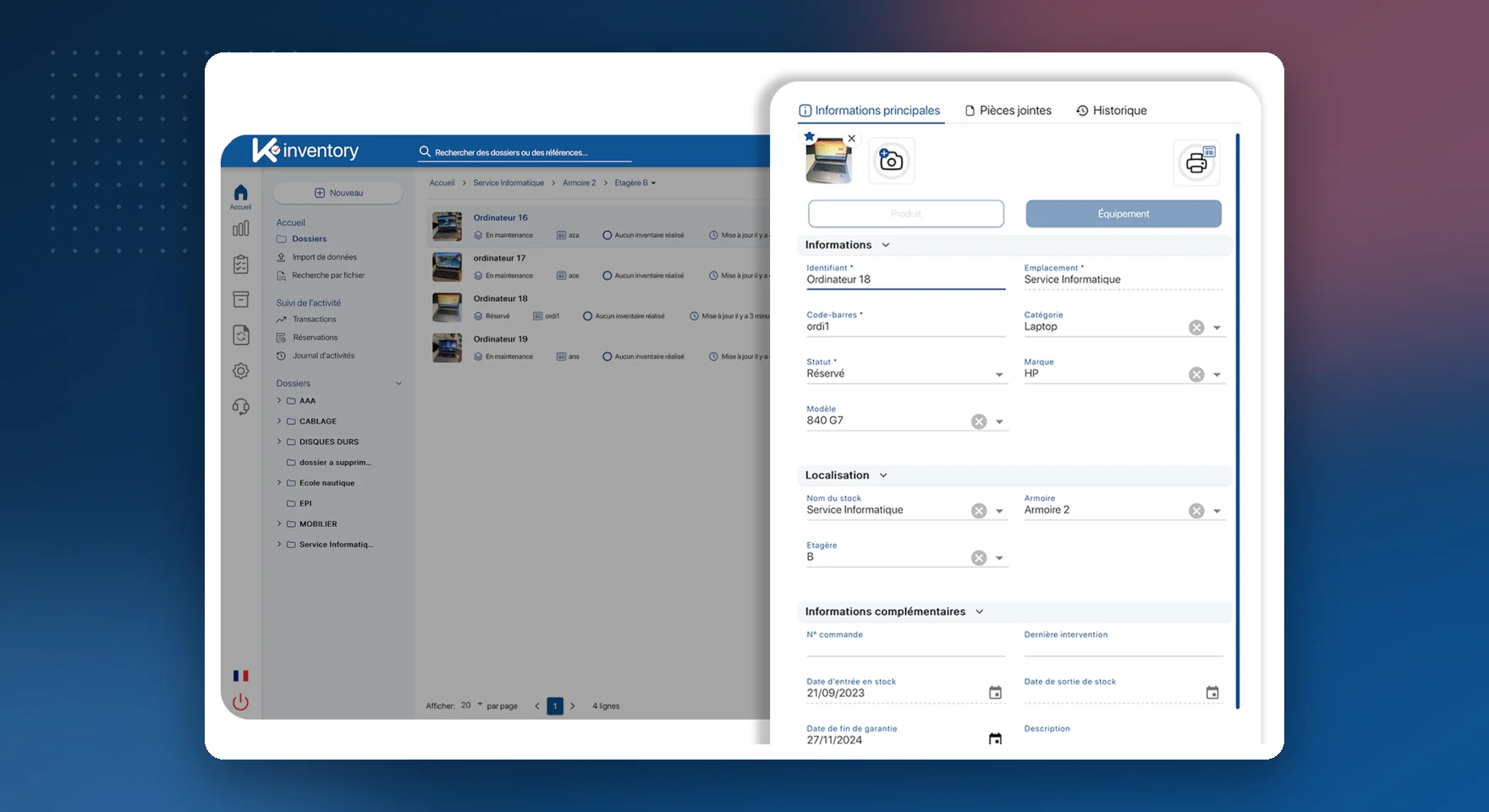
What a dedicated tool looks like: each device has its own record, with its holder, location, dates and history, on the web as well as on the phone.
For the full list of features, see the IT asset management software (ITAM) page.
Going further
Frequently asked questions about IT asset management
Is it better to buy or lease computers?
It depends on your cash flow and your renewal policy. Buying gives you ownership and an asset to depreciate, which you can keep for a long time or reuse. Leasing spreads the cost and requires regular renewal, but you must return all the equipment, in good condition, at the end of the contract. Either way, an up-to-date inventory avoids unpleasant surprises.
How do you recover equipment when an employee leaves?
By starting from the list of what was assigned to them by name. On the day they leave, each return is checked and its condition recorded; anything missing shows up immediately. Without traceable assignments, unreturned equipment is only discovered at the next inventory.
How often should you take inventory of the IT fleet?
At least once a year, for the accounting check of assets. But an inventory kept up to date with every arrival, departure, swap and office move makes the annual inventory much simpler.
What is the difference between a physical and a logical inventory?
The physical inventory tells you where each device is, who has it and in what condition: it is done by scanning, in the field. The logical inventory describes what each workstation contains: it is collected by an agent installed on the machines. The two complement each other.
What should you do with end-of-life computers?
First check whether they can be reused internally or donated. Otherwise, hand them over to a WEEE recycling channel suited to professional equipment. In every case, the data must be wiped securely before they leave, and the device removed from the inventory with its reason.
Should mice, keyboards and cables be labeled?
Generally, no: these accessories are counted by quantity, per location. Individual labels are for valuable equipment, equipment assigned to a person, or equipment tracked by serial number.
How much does an IT asset management tool cost?
With K inventory, plans are counted in items, never in users: each device tracked individually counts as one item. Essential: €175 per month for up to 500 items. Advanced: €390 per month for up to 1,000 items. Beyond that, the Custom plan is quoted on request.
Your IT fleet under control, from purchase to recycling
Show us your IT fleet and your arrivals and departures during a demo, with your IT department if you wish: we will show you how to manage it day to day in K inventory.