Field service management software for your installation, after-sales and maintenance technicians
Heating engineers, refrigeration technicians, installers, multi-technical maintenance companies and after-sales services: K inventory schedules your servicing visits at your customers' premises, keeps the history of every installed piece of equipment and tracks the parts in every vehicle. Your technicians leave with the right part, and what they fit is deducted from stock automatically.
What costs money between the depot and the customer
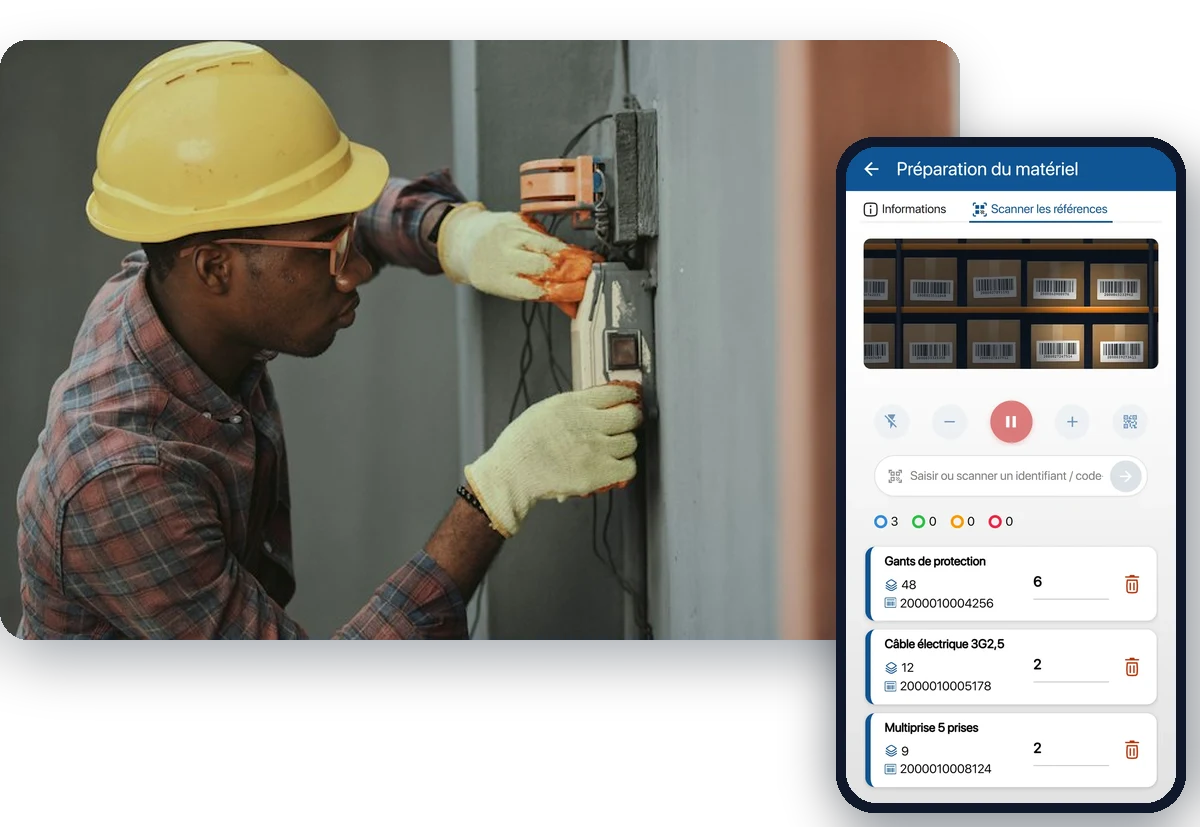
The job is done at the customer's site, but it is prepared at the depot and in the vehicle. Every piece of information missing at departure is paid for on site.
The second visit
The part was not in the vehicle. The technician leaves, comes back the next day, and the customer waits. That is billable time lost and one more visit in the schedule.
Mandatory servicing
Annual boiler servicing, heat pump servicing, leak checks on refrigeration equipment: hundreds of recurring visits that must not slip.
Invisible stock on wheels
Thirty vehicles, thirty small stocks that nobody counts. You buy a part again that is sitting in a colleague's van, or you discover the stockout at the customer's site.
Fewer technicians, more visits
According to the 2026 BMO survey by France Travail (the French public employment service), 67% of plumber and heating engineer recruitments are considered difficult. Every technician hour must serve the customer, not be spent looking for a part or re-keying a report.
Servicing scheduled at your customers' sites, with the history of every installed piece of equipment
Every boiler, heat pump, air conditioner or stove you install becomes a record in K inventory, filed under its customer. Recurring servicing is scheduled, and each visit adds to the equipment's history.
One folder per customer and per site, with the installed equipment and its characteristics: brand, model, serial number, commissioning date
Servicing scheduled by date or by meter, with a reminder before it is due
QR code label on the equipment: the technician scans it and finds the record and its history
History of each piece of equipment: operations, parts consumed, photos and attachments
Servicing template created on the web: equipment scan, inspection form, Excel report sent automatically by email
Each vehicle's stock tracked as a location
A part is only valuable if it is in the right vehicle at the time of the operation. In K inventory, each vehicle is a location, just like the depot: you know what it contains and what is missing.
Depot and vehicles in the same tool, each vehicle treated as a location
Restocking from the depot to a vehicle through a traced movement, by scan
Parts taken deducted from stock automatically during the operation, if you wish
Alert before a stockout, by item and by location
Vehicle inventory on the phone, by scan
Osiris, a stove and fireplace installer, tracks 5 stocks and 2,000 items between its depot and its job sites with K inventory. Read the case study
See inventory management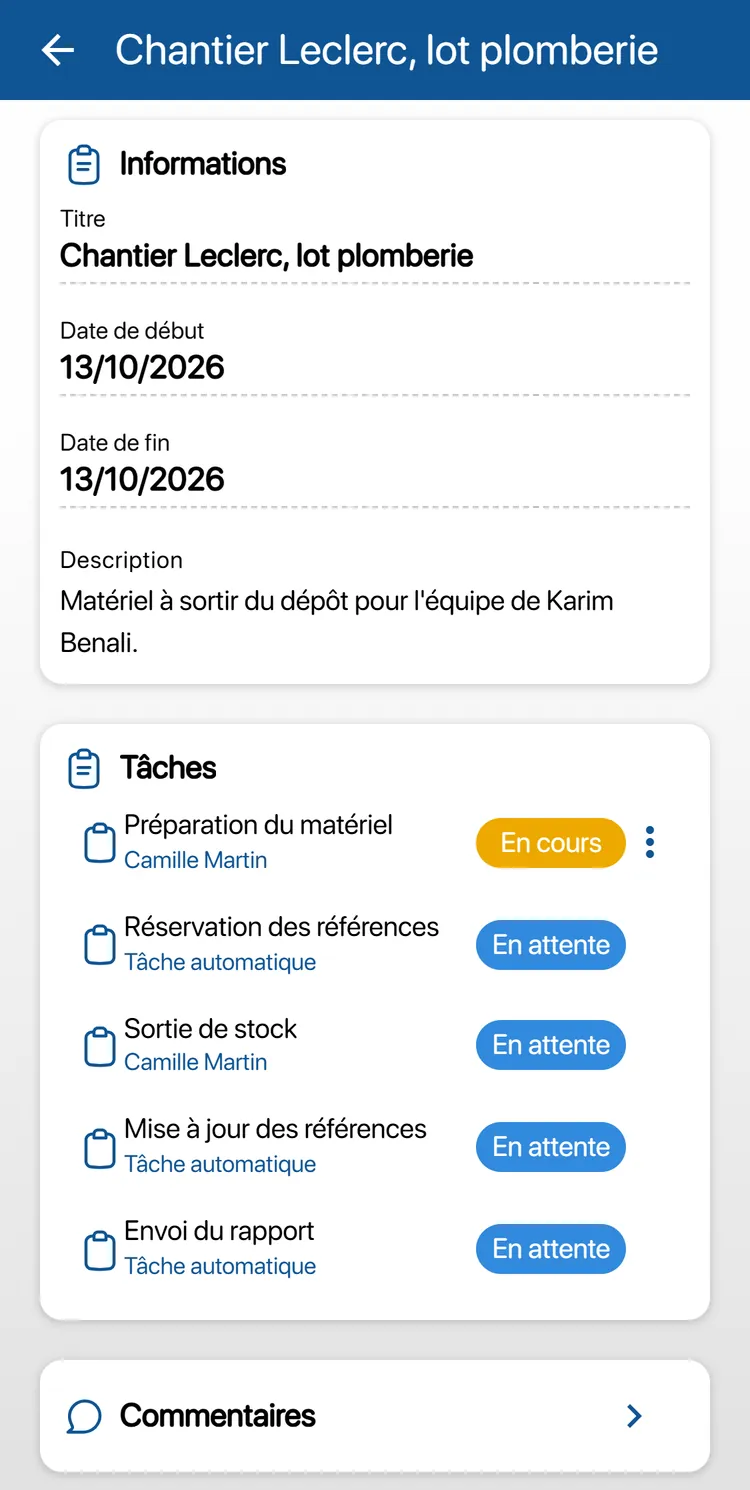
Your technicians' schedule and the time spent on each operation
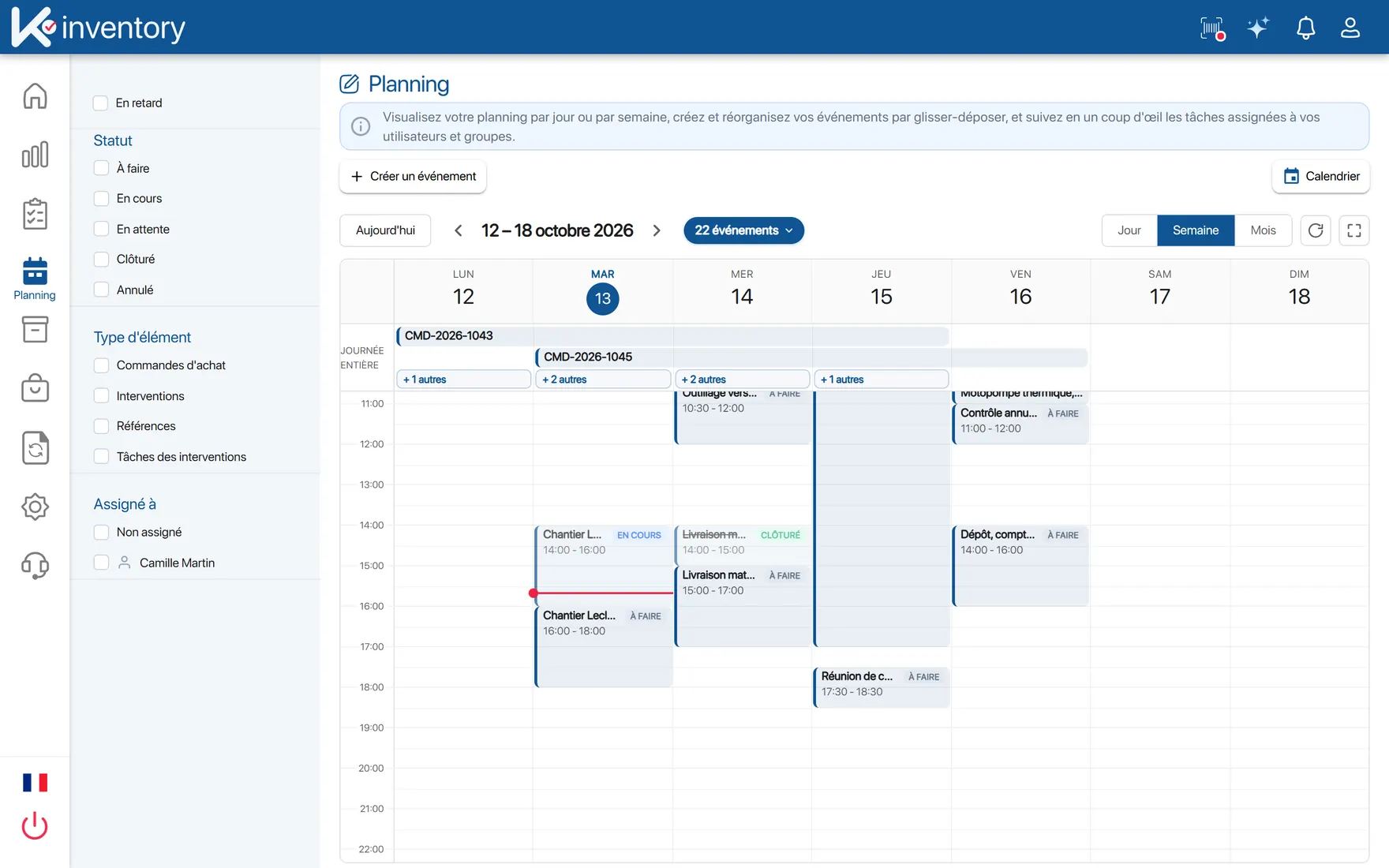
The schedule is built on the web platform and viewed on the phone. Each task is timed on site: you know how long each operation took, without asking the technician the next day.
Schedule by day, week or month, by technician or by team, rearranged by drag and drop on the web
Operations created and assigned on the web, carried out step by step on the phone
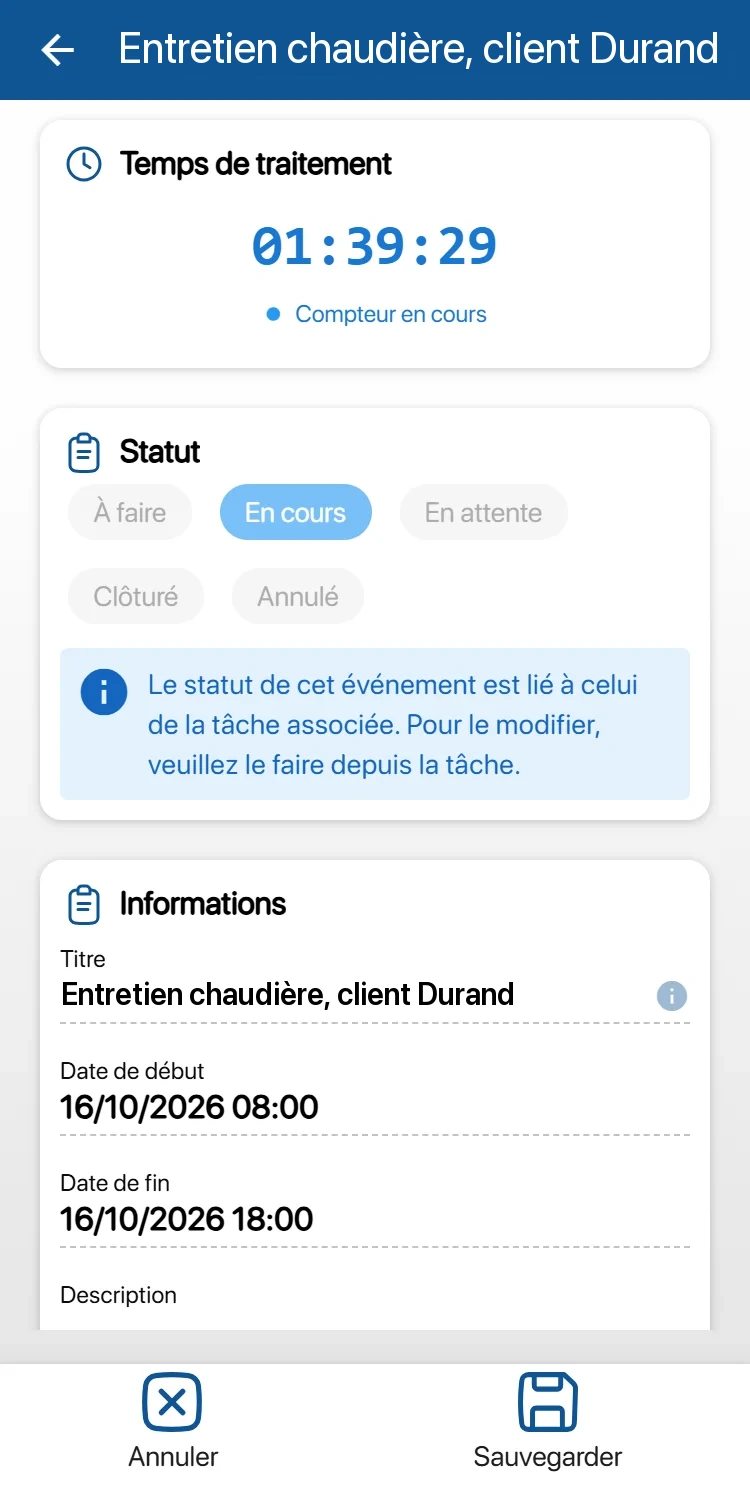
On the phone, the technician's task list, with a timer for the time spent
Task paused with a reason if something unexpected happens, then resumed later; comments and the activity log keep a record
Dashboards and Excel exports to follow your teams' activity
Servicing obligations to prepare for, not to endure
Several regulations require recurring visits at your customers' sites. K inventory schedules them, alerts you before they are due and keeps a record of each visit.
Boilers
Boilers from 4 to 400 kW must be serviced every year (French decree no. 2009-649). You schedule the servicing of each boiler, with a reminder before it is due and the history of visits.
Heat pumps
Heat pumps from 4 to 70 kW must be serviced at least every two years (French decree no. 2020-912). The interval is set equipment by equipment.
Refrigerants
The F-gas Regulation (EU) 2024/573 requires leak checks every 3 to 12 months depending on the charge. You create your inspection template with your own fields: refrigerant, charge, result, date of the next check.
Organise your customers, your vehicles and your teams
Customer, site, plant room, equipment
Locations form a tree with no depth limit. A customer, then their site, their boiler room and their equipment: you find everything the way you organise it in your head.
Unlimited users
Each technician has their own access, at no extra cost. Permissions are set by feature and by folder: a technician can see only their vehicle's folder, the manager sees everything.
Your invoicing stays where it is
K inventory does not do invoicing. It traces operations, time spent and parts used. With the Custom plan, this data can be sent to your invoicing software through the API module, without re-keying.
Three situations K inventory covers
Annual servicing at a customer's home
The reminder comes up, the servicing is scheduled and assigned. On site, the technician scans the boiler's label, fills in the inspection form and times the work. The report is sent automatically.
Repair in a boiler room, with no network
In the basement, no network. The operation was downloaded before leaving: the technician scans the part fitted and fills in the form. Everything is sent when the network is back, and the part is deducted from the vehicle's stock.
Restocking the vehicles
On Monday, the alerts show what is missing in each vehicle. The storekeeper prepares the missing items at the depot, the technician receives them by scan, and the movement is traced.
Frequently asked questions from installers and maintenance companies
Do you handle invoicing?
No. K inventory traces operations, time spent and parts used; invoicing stays in your usual software. With the Custom plan, this data can be sent to it through the no-code API module, without re-keying. We show you on your own case during a demo.
Our technicians work in boiler rooms or basements with no network. Is that a problem?
No. Operations are downloaded to the phone while there is a network. On site, scans, quantities and forms are kept on the device, then sent in order when the network is back. Offline, only the Operations menu is available.
Are the parts fitted at the customer's site deducted from the vehicle's stock?
Yes, if you wish. Each vehicle is a location: a configurable rule automatically deducts the parts used during the operation from stock. You then see what is missing in each vehicle before the next departure.
How does a servicing visit work on the technician's phone?
You create your servicing template on the web platform: equipment scan, inspection form with your own fields, automatic sending of an Excel report by email. The technician scans the equipment's label, fills in the form and validates. The template is fully configurable: tasks, order, mandatory fields. Operation templates are a module enabled depending on your plan.
Do you handle leak checks on refrigeration equipment?
You can create a leak check template with your own fields: refrigerant, charge, result, date of the next check, and schedule this check equipment by equipment with a reminder. For the regulatory documents expected in your case, let's review them together during a demo.
Is the schedule visible on the phone?
Yes. The schedule is built on the web platform, by day, week or month, by technician or by team. On the phone, each technician finds their task list, with a timer for the time spent. Operations are created on the web, then carried out on the phone.
How much does K inventory cost for 30 technicians?
Users are unlimited: 30 technicians cost no more than 3. The price depends on the number of items. A piece of equipment tracked individually counts as one item; a part managed by quantity counts as a single item per location, so per vehicle. Essential: €175 per month for up to 500 items. Advanced: €390 per month for up to 1,000 items. Beyond that, the Custom plan is quoted on request.
Installation and maintenance on our blog
Managing stock between the depot and vehicles, field service, preventive maintenance: find our articles for technical teams, including the case of Osiris, a stove and fireplace installer.
K inventory also adapts to other industries
Discover how K inventory meets the specific constraints of each sector.




The right part in the right vehicle, on every job
Scheduled servicing, up-to-date vehicle stock, time spent traced. Let's look at your organisation together during a demo.
Enjoy a 14-day free trial of K inventory!
When you sign up, you can use all the features of K inventory for 14 days. No commitment, no credit card required, unlimited users.
Contact us
Would you like us to contact you? Enter your email address below!