Collection check (récolement) and inventory software for museums, châteaux and monuments
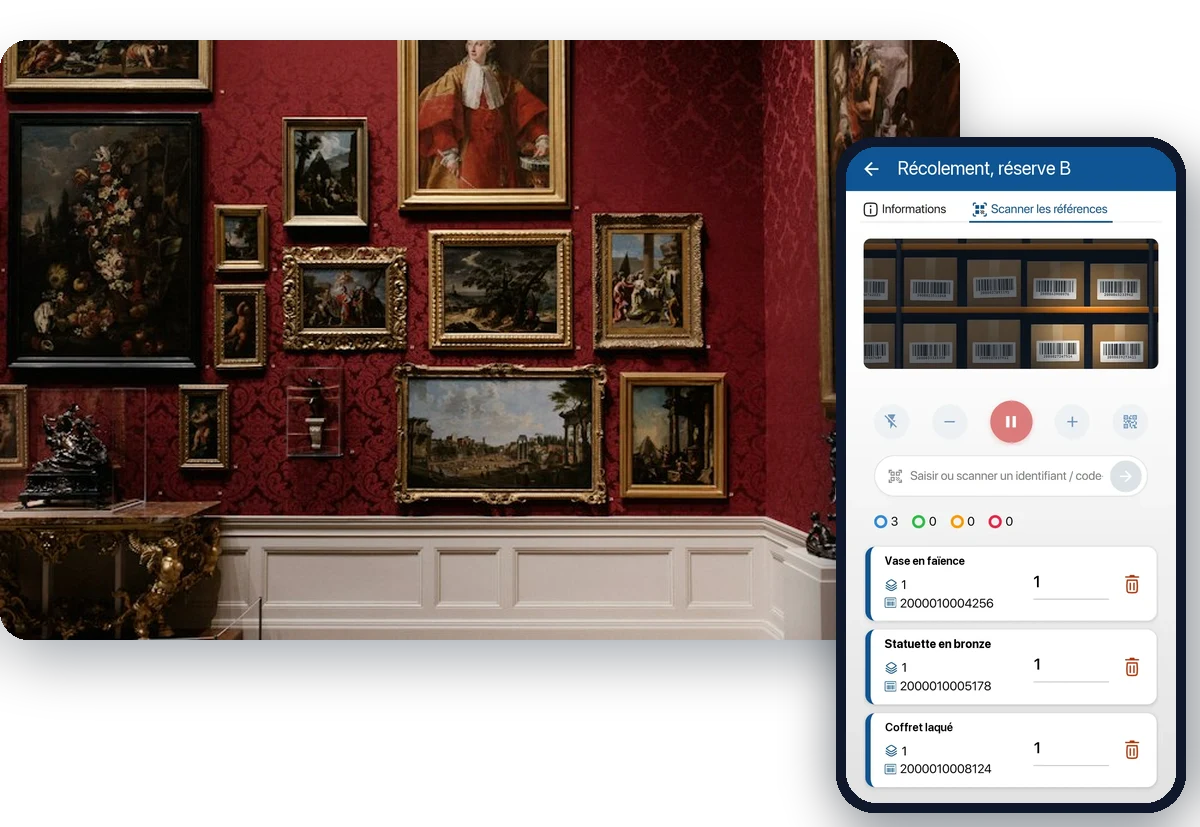
An object recorded in the inventory is of no use if nobody knows which storeroom it is in. K inventory locates each object storeroom by storeroom, tracks every one of its movements and prepares the collection check by scan, on the phone, with the differences calculated.
What makes managing the objects of a cultural institution complicated
Scattered storerooms, objects leaving for exhibitions, loans or restoration, a spreadsheet kept by a single person: the gap widens between what is written down and what is on the shelves.
The object that cannot be found
It is in the inventory, but not at the recorded location. Finding it means opening crates and searching through shelving, sometimes without success.
The forgotten movement
An object leaves for an exhibition, a loan or restoration, then comes back to a different storeroom. If nobody recorded it, its location is wrong.
The collection check to carry out
Thousands of objects to verify on site, storeroom by storeroom, then reconcile with the inventory. On paper, ticking them off and calculating the differences takes weeks.
The storeroom move
Hundreds of crates leave one storeroom for another. Each one has to leave, arrive and be found again in its new place, with nothing lost on the way.
Every object located, storeroom by storeroom
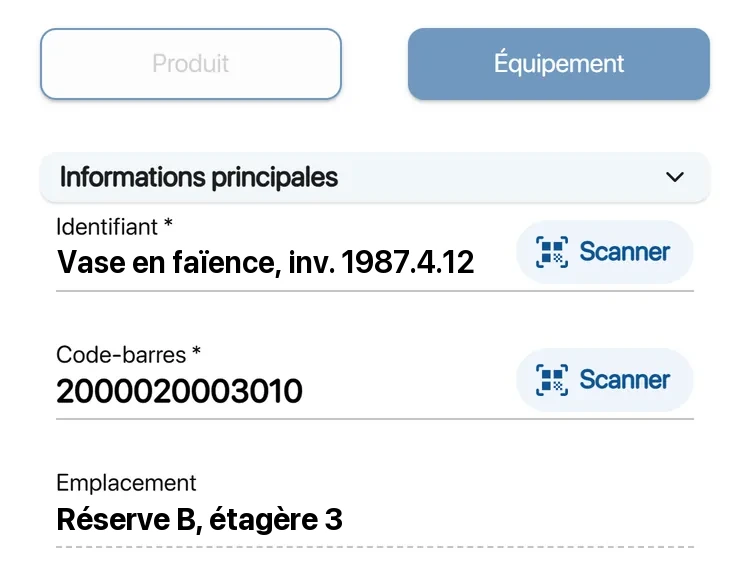
In K inventory, each storeroom, room or crate is a location. You know where every object is, and you find it on site with the phone camera.
Location tree with no depth limit: building, storeroom, shelving unit, shelf, crate
One record per object, with its photos, its attachments and its full history
Barcode or QR code labels printed from the platform, to be placed on the object when possible, otherwise on its packaging
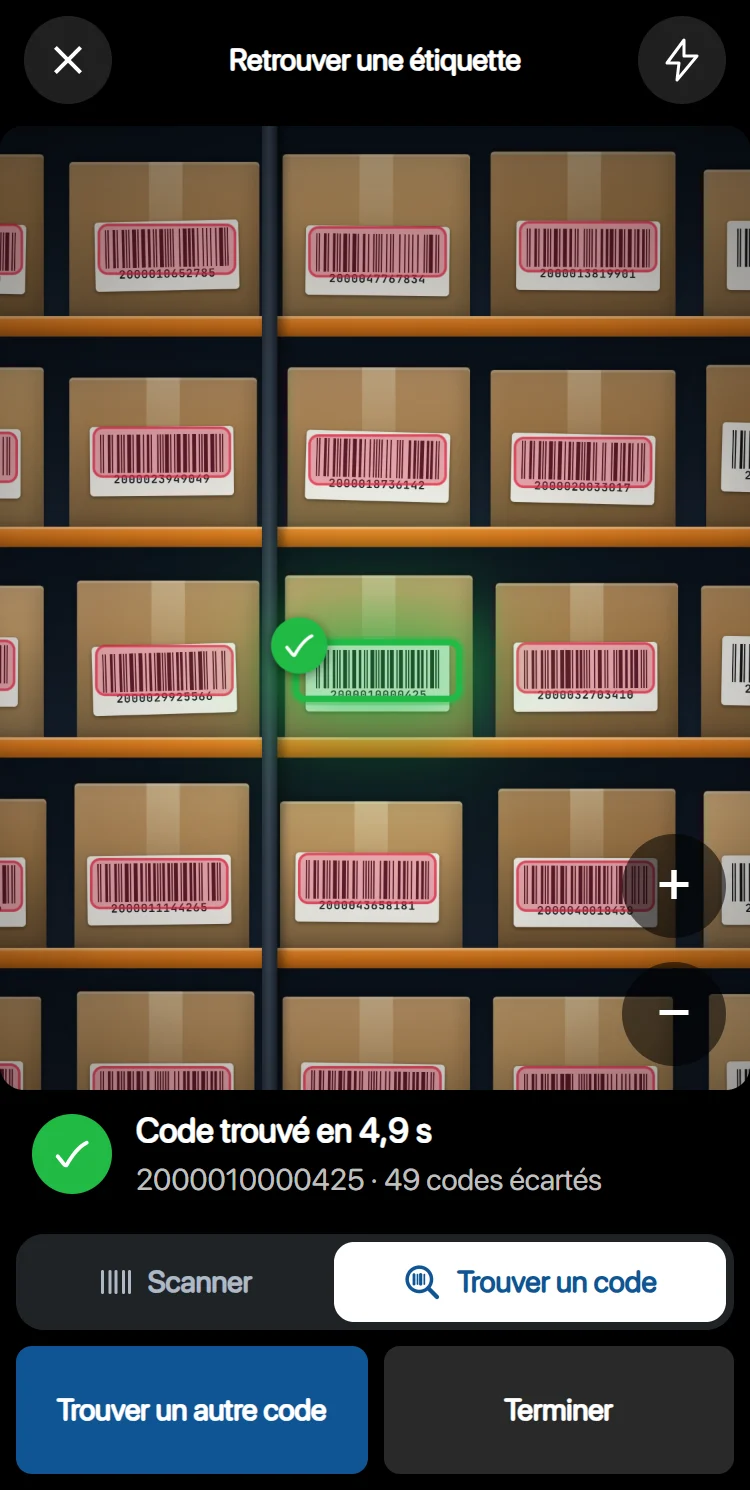
“Find a label”: enter the code, sweep the shelving with the camera, and the right code shows up in green among the others
Search by name, by code or by location, from the web as well as from the phone
Prepare the collection check by scan, with differences calculated
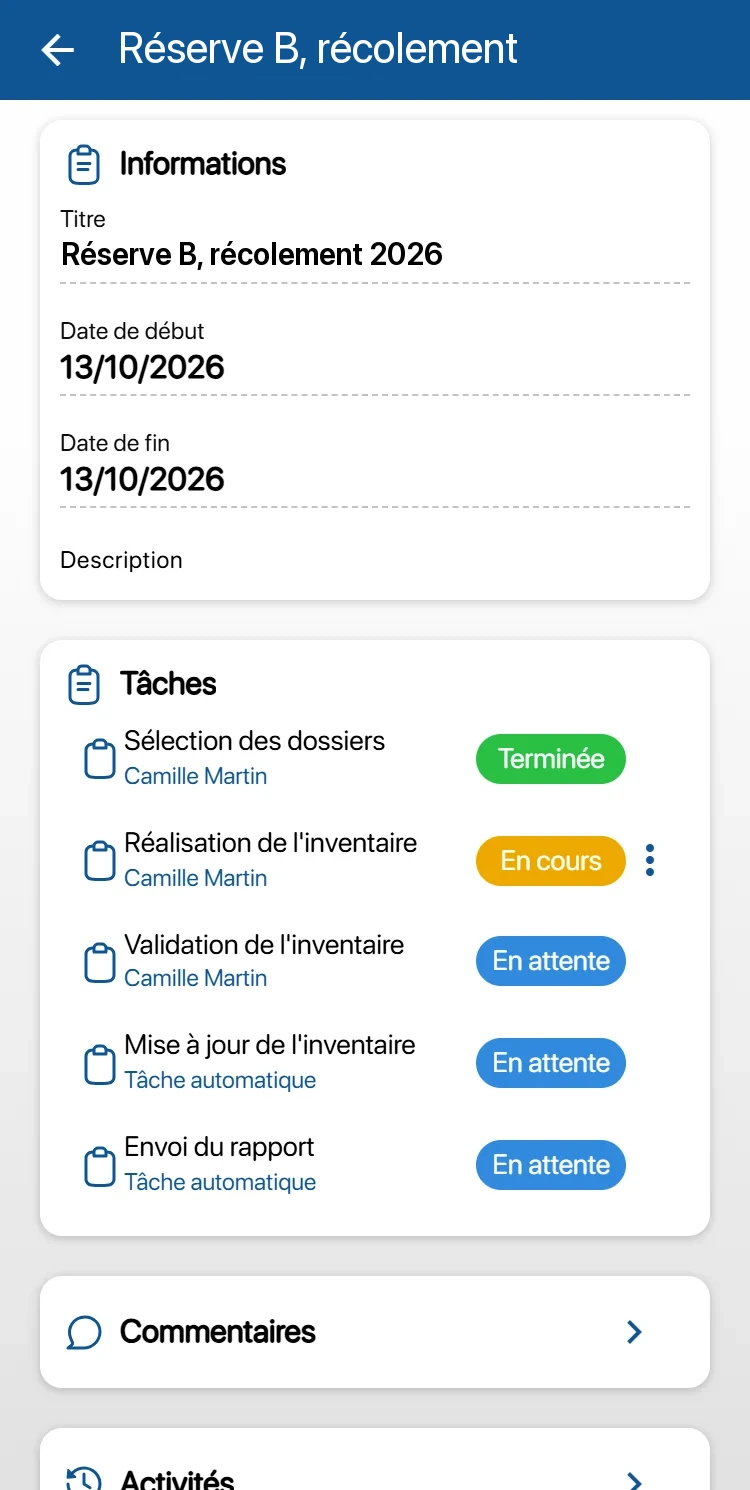
Ticking off is done on the phone, in the storeroom. Validation is done on the web, in the office. In between, K inventory compares what was seen with what was expected.
Campaign split by storeroom: you choose the locations to check on the web and assign the tasks to your team
Continuous scanning: the camera stays open, each read is confirmed by a beep and a vibration, and an expected object turns green
Validation on the web platform, with the differences calculated between what was expected and what was scanned
To record the condition observed, create your own operation template: a scan task, then a form filled in on site
Basement storeroom with no network: the task is done offline and sent once the network is back
Movements tracked from departure to arrival
Exhibition, loan, deposit, restoration, change of storeroom: an object that moves leaves a trace. Moving a storeroom becomes a series of moves checked by scan.
Moves in steps: preparation at departure, dispatch, then receipt at arrival, each validated by scan
Object location updated automatically on receipt, report sent at closure
A location for each external venue, borrowing institution or restoration workshop: the lent object stays located
Each movement recorded in the object's history and in the time-stamped activity log
After a move, the right crate is found with the camera among dozens of others
Ten-yearly collection check, public procurement, hosting
The questions a public institution asks before choosing a tool, and how K inventory answers them.
The ten-yearly collection check
For museums with the “Musée de France” label, the French Heritage Code (article L451-2) requires a ten-yearly collection inventory (récolement décennal), in which every collection is checked every ten years. The third campaign runs from 1 January 2026 to 31 December 2035. With K inventory, it is prepared by scan: each object located, ticked off, and the differences calculated.
Purchase through UGAP
K inventory is listed in the UGAP catalogue for French public buyers: your order goes through the central public purchasing body, with no competitive tendering procedure. We send you the quote matching your scope.
Hosted in France
Data hosted in France by OVH and Ikoula, ISO 27001-certified hosting providers, TLS 1.3 encrypted connection rated A+, backups twice a day, 99.9% availability.
Describe your objects in your own vocabulary
Your custom fields
Inventory number, title, materials, dimensions, condition: the information that describes your objects is set up as custom fields, from the platform, with no development.
Your spreadsheet taken over
Your current inventory is taken over by Excel import, with help matching your columns to the fields of K inventory. You do not re-enter your objects one by one.
Permissions by storeroom
Permissions are set by role and by location: each person sees and edits what falls within their scope. The activity log keeps a time-stamped record of every action.
Three situations the platform covers
The Musée d'Orsay and the Château de Pau use K inventory.
Museum and storerooms
Exhibition rooms, one or more storerooms, sometimes off-site. Each object is located down to the shelf or the crate, and every return from an exhibition updates its location.
Château or monument
Furniture and objects spread across rooms open to the public and storerooms. Each room is a location, and ticking off is done room by room, on the phone.
Storeroom move
Crates to pack, transport and store in a new place. Each move is prepared, dispatched and received by scan, and the final report shows what has arrived.
Frequently asked questions from registrars and curators
Does K inventory replace our collections management software?
That is not its role. K inventory tracks the physical reality of your objects: where they are, what has moved, what was seen during a check. It can work alongside your collections database. The connection between the two goes through the no-code API module, with the Custom plan, and is looked at for your case during a demo.
How does a collection check work with K inventory?
You choose the storerooms to check on the web. Your team scans the objects on site, on the phone. Validation is then done on the web platform, with the differences calculated, and the report is sent automatically.
Our storerooms are in the basement, with no network. Is that a problem?
No. Operations, inventories and moves included, can be done offline: scans, quantities and forms are kept on the phone, then sent in order once the network is back. Offline, only the Operations menu is available.
Can we take over our current inventory, kept in a spreadsheet?
Yes. Your inventory is taken over by Excel import. The columns specific to your institution, such as the inventory number, become custom fields.
How do we track an object lent to or deposited with another institution?
You create a location for the institution hosting it, then move the object there. The movement is tracked in its history, and its return is done with a new move back to its storeroom. Useful information, such as the planned return date, is recorded in custom fields.
Can we buy K inventory through UGAP?
Yes. K inventory is listed with UGAP: your order goes through the central public purchasing body, with no competitive tendering procedure. Ask us for the quote matching your scope.
How much does K inventory cost for 3,000 objects?
An object tracked individually counts as one item. The Advanced plan, at €390 per month, covers up to 1,000 items; beyond that, the Custom plan is quoted on request. The number of users is unlimited, and the free trial lasts 14 days.
Managing cultural objects on our blog
Storeroom inventory, preparing the collection check, moving collections: find our publications for cultural institutions.
K inventory also adapts to other industries
Discover how K inventory meets the specific constraints of each sector.




See it on your own storerooms
A demo on your own case: your storerooms, your objects, your current spreadsheet and your collection check schedule.
Enjoy a 14-day free trial of K inventory!
When you sign up, you can use all the features of K inventory for 14 days.
Contact us
Would you like us to contact you? Enter your email address below!